> ## Documentation Index
> Fetch the complete documentation index at: https://knowledge.bitbybit.studio/llms.txt
> Use this file to discover all available pages before exploring further.
# How Visitor Information is Collected
> Understand how bitChat auto-generates a temporary visitor profile from the chat widget and updates it as details are collected
When customers start a conversation through the **Chat Widget (Floating widget & Sidebar panel)**, they can begin **chatting immediately** without entering their personal information. **bitChat will automatically generate a temporary visitor profile** and update the information once customer details are collected during the conversation.
## Step 1: Visitor Starts a Chat
* When a visitor opens the chat widget and sends their first message, **bitChat automatically creates a temporary customer profile**.
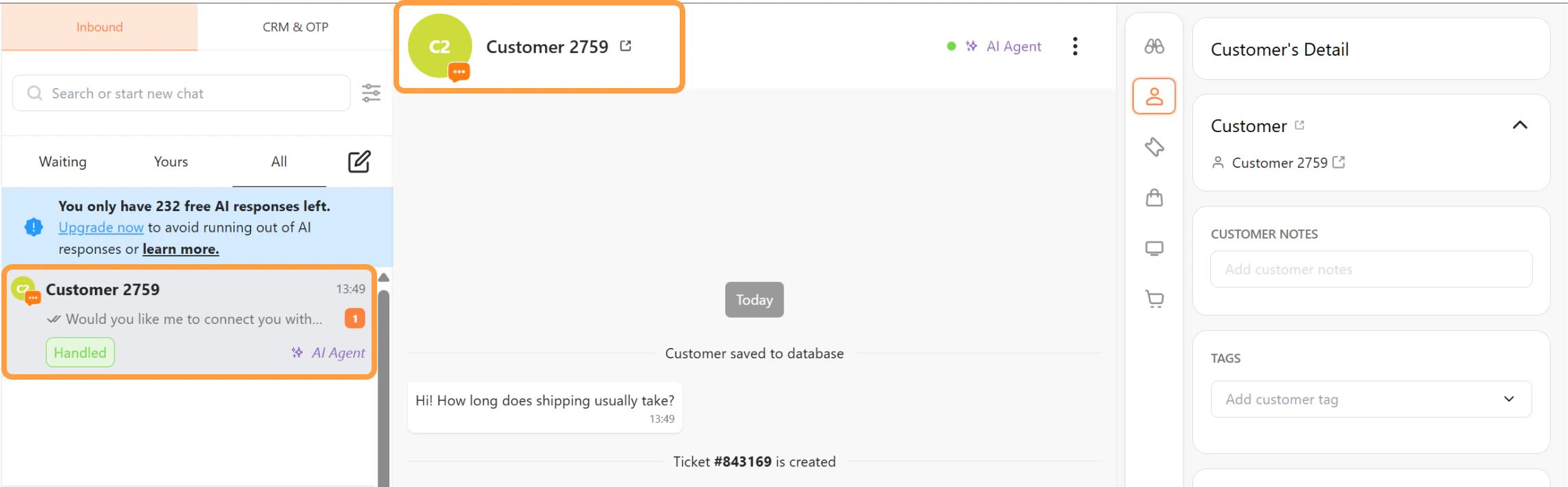 * If no information is provided, the system assigns a default name using the following format: **Customer + random number**
* This profile allows the conversation to be tracked in bitChat Live Chat.
## Step 2: AI Collects Customer Information (Optional)
* Customer information can be collected automatically by the AI agent if the **Collect Data skill is enabled** in AI Studio.
* If no information is provided, the system assigns a default name using the following format: **Customer + random number**
* This profile allows the conversation to be tracked in bitChat Live Chat.
## Step 2: AI Collects Customer Information (Optional)
* Customer information can be collected automatically by the AI agent if the **Collect Data skill is enabled** in AI Studio.
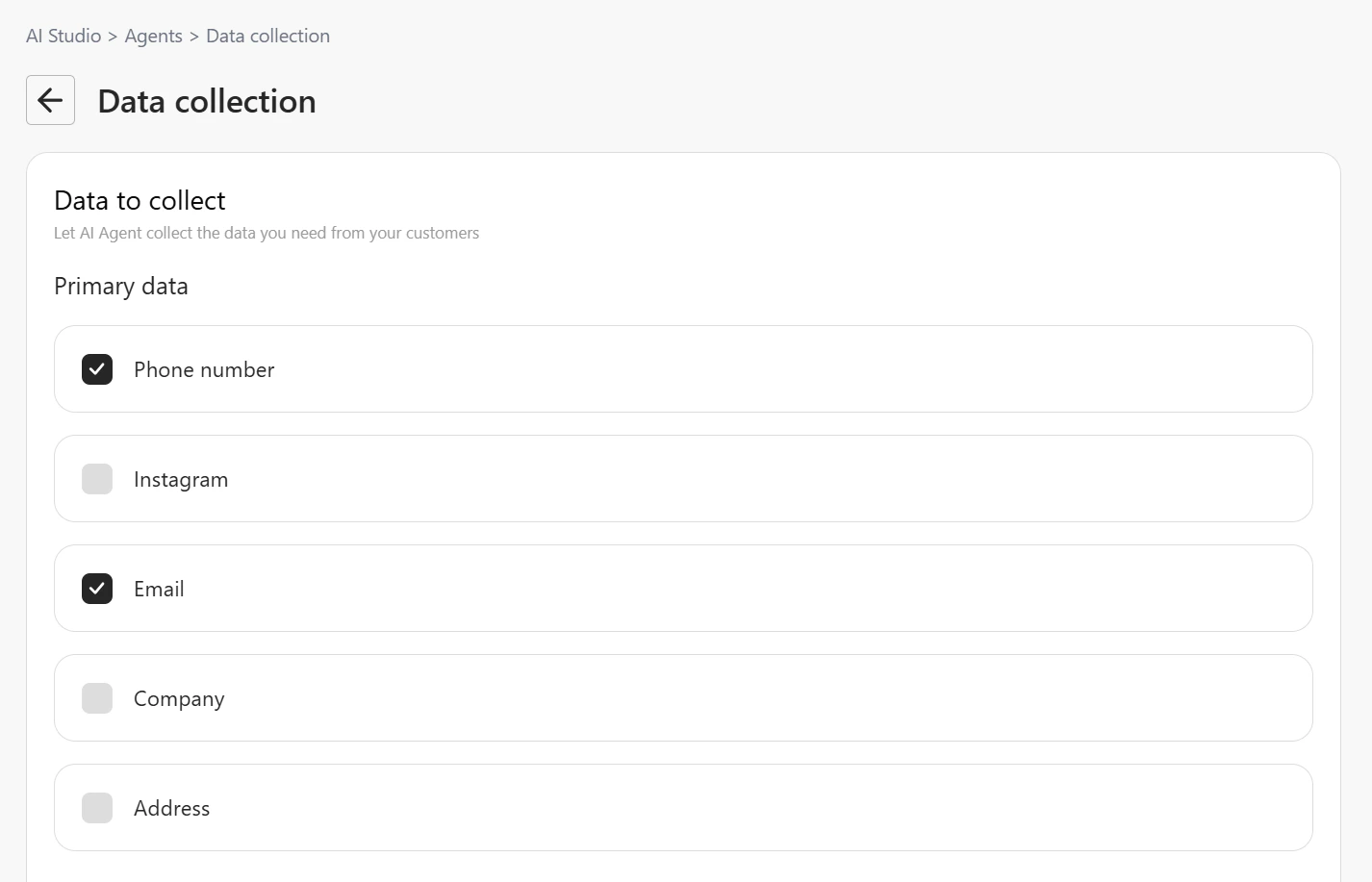
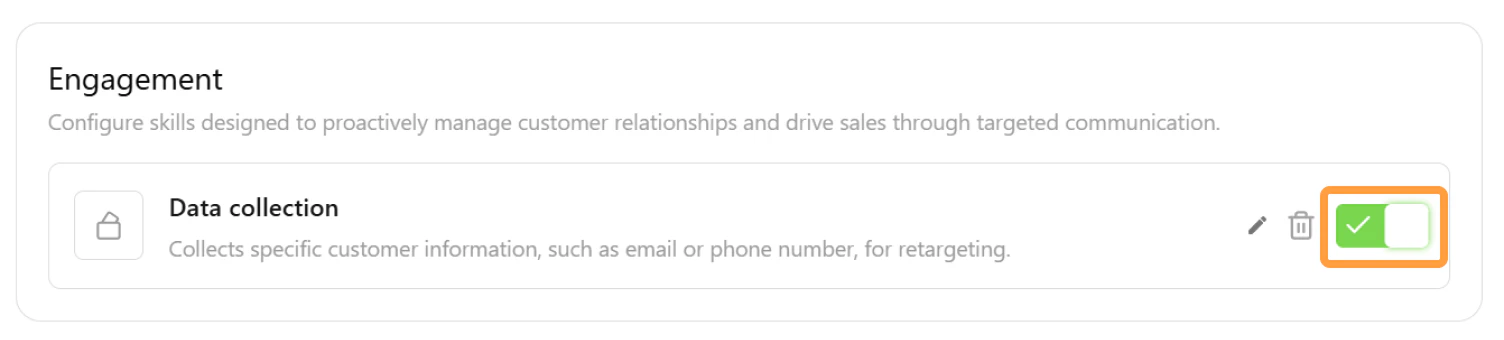 * When this skill is active, the AI may ask visitors for details such as: Name, Email address, and Phone number.
 * Once the visitor provides the information, the AI Agent will update the customer profile automatically.
## Step 3: Information Collection During Human Handover
* If the visitor **requests to talk to a human agent** and their information has not yet been collected, the system will prompt the visitor to **provide their details before the conversation is transferred**.
* Once the visitor provides the information, the AI Agent will update the customer profile automatically.
## Step 3: Information Collection During Human Handover
* If the visitor **requests to talk to a human agent** and their information has not yet been collected, the system will prompt the visitor to **provide their details before the conversation is transferred**.
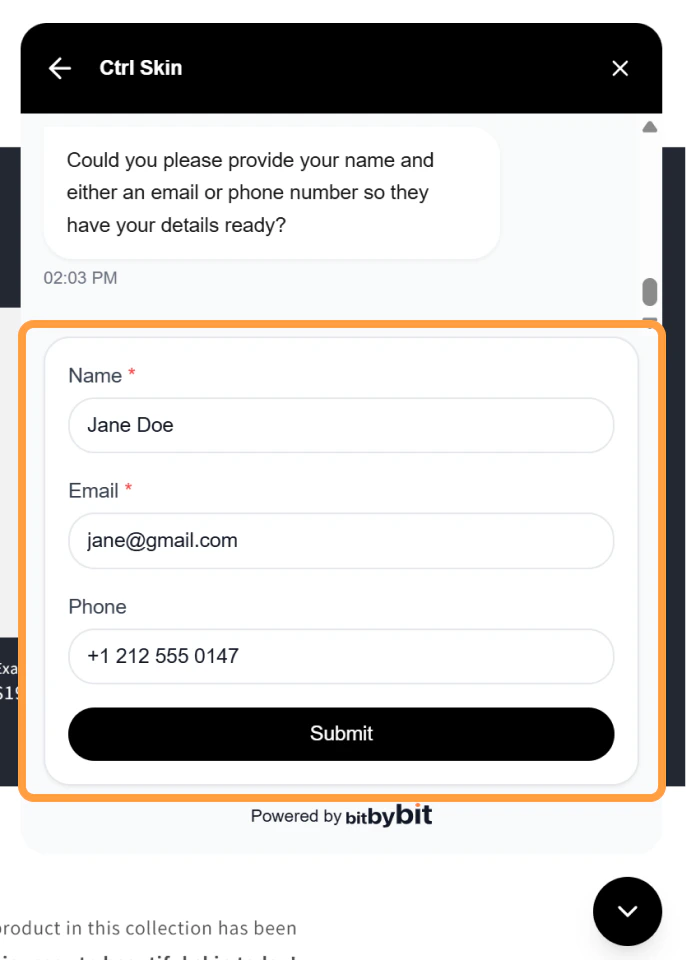 * The visitor will be asked to enter: Name, Email address, and Phone number
* After submitting the information, the conversation will be **handed over to a human agent**.
## Step 4: Customer Profile Update
* Once the visitor provides their information, the temporary profile will be updated.
For example:
* Before information is collected: Customer 1234
* After information is collected: John Doe
* The updated customer information will be visible in bitChat Live Chat.
* The visitor will be asked to enter: Name, Email address, and Phone number
* After submitting the information, the conversation will be **handed over to a human agent**.
## Step 4: Customer Profile Update
* Once the visitor provides their information, the temporary profile will be updated.
For example:
* Before information is collected: Customer 1234
* After information is collected: John Doe
* The updated customer information will be visible in bitChat Live Chat.