> ## Documentation Index
> Fetch the complete documentation index at: https://knowledge.bitbybit.studio/llms.txt
> Use this file to discover all available pages before exploring further.
# How to Create a Chat Initiation Template
> Create a chat initiation template in bitChat to send a consistent WhatsApp Cloud API welcome message to customers
For a step-by-step guide on how to complete this pros, please visit [our YouTube Channel.](https://www.youtube.com/@bitbybit.studio/videos)
Setting up a chat initiation template in bitChat ensures that your customers receive a welcoming and consistent message when they connect through WhatsApp. This feature is crucial for guiding conversations and establishing a professional tone right from the start. Follow these steps to create a custom template that fits your communication style.
## Step 1: Go to the **bitChat Settings — WhatsApp Cloud API** dashboard
Navigate to the WhatsApp Cloud API settings via the bitChat sidebar.
## Step 2: Scroll to "Chat initiation template" and click "Create new template"

Click "Create new template"
## Step 3: Fill in template name, choose the language, and message
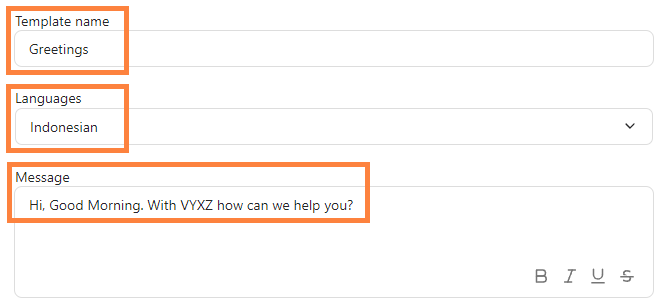
Fill in template name, choose the language, and message
## Step 4: Click "Save template"
Click "Save template"Once your message template is created test your chat initiation to ensure it successfully or see [How to Start Chat with a New Number](https://knowledge.bitbybit.studio/bitchat/how-to-start-chat-with-a-new-number#how-to-start-chat-with-a-new-number) to see further.