> ## Documentation Index
> Fetch the complete documentation index at: https://knowledge.bitbybit.studio/llms.txt
> Use this file to discover all available pages before exploring further.
# How to Hide Chat Widget on Specific Pages
> Hide your bitChat chat widget on selected store pages using the Advanced tab in Chat Widget settings
Hiding your bitChat widget on certain pages can help streamline user experience, ensuring the chat is available only where needed. Here’s how you can easily control where your chat widget appears.
## **Step 1: Access bitChat Settings**
* Go to the [bitChat Chat Widget](https://app.bitbybit.studio/bitchat/chat-widget) dashboard.
## **Step 2: Select Pages to Hide the Widget**
* Click the Advanced tab.
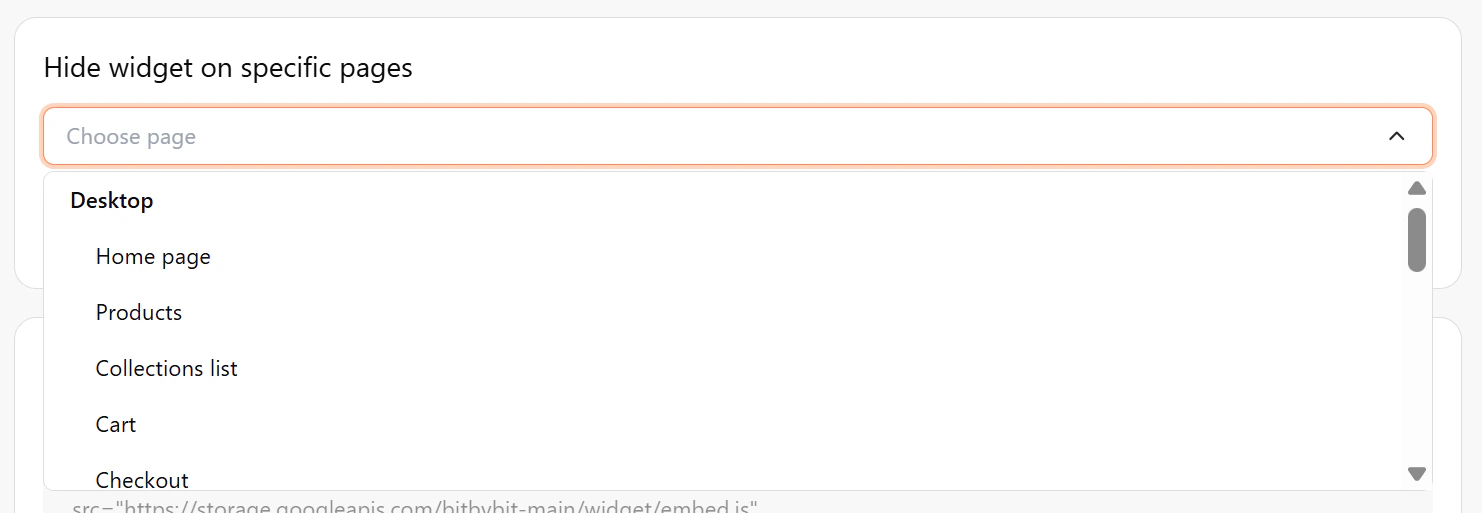
* Scroll down to find **Hide widget on specific pages**.
* Click the **Choose page** field.
* Select the page(s) where you want to hide the chat widget.
 ## **Step 3: Save Your Hide Chat Widget**
* Click "Save changes".
## **Step 3: Save Your Hide Chat Widget**
* Click "Save changes".
