> ## Documentation Index
> Fetch the complete documentation index at: https://knowledge.bitbybit.studio/llms.txt
> Use this file to discover all available pages before exploring further.
# Understand user roles and authority in bitbybit
> Understand bitbybit user roles and authority for Super Admin, Admin, Agent, and Regular User permissions
In today's digital landscape, managing user roles and their respective authorities is crucial for maintaining an efficient and secure system. Different roles come with different capabilities, allowing users to perform specific actions based on their responsibilities. Here’s a breakdown of typical user roles: Super Admin, Admin, Agents, and Regular Users, along with their associated capabilities in a comprehensive system
## 1. Super Admin
The **Super Admin** role is the most powerful in bitbybit, offering full access and control over all features and settings. Super Admins can manage everything from CRM and application settings to user management and company-wide configurations. This role is designed for those who need to oversee and maintain the entire system.
## 2. Admin
The **Admin** role is nearly as powerful as the Super Admin but with some restrictions. Admins can manage user accounts, handle tickets, and modify company settings, but they do not have the authority to delete the company. This role is ideal for operational managers who need comprehensive control without full system administration privileges.
## 3. Agent
The **Agent** role is tailored for customer service representatives and support staff. Agents focus on handling customer interactions, such as managing tickets and live chat. They have limited access to other parts of the system, making this role ideal for users who need to focus on customer service without the distraction of broader system management tasks.
## 4. Regular User
The **Regular User** role is designed for general employees who require access to basic functionalities within bitbybit. Regular Users can interact with core applications like bitCRM and bitLogin, manage their account settings, and participate in customer interactions. However, they do not have permissions to manage tickets or make significant changes to company settings.
**Importance** If a **Regular User needs to manage tickets**, their **role authority** can be **updated** . Follow these steps to adjust their permissions:
**Step 1: Go to User & Authority:**
* Click on "[User & Authority](https://app.bitbybit.studio/settings?section=user-authority)" in the settings menu.
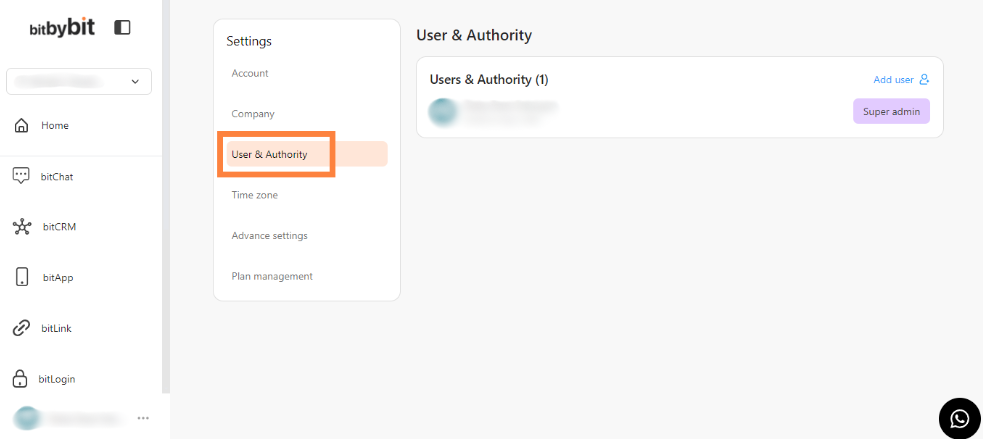 Click "User & Authority"
**Step 2: Modify a User Email & Role :**
* Click "Add User" to invite a new user or select an existing user to modify their role.
Click "User & Authority"
**Step 2: Modify a User Email & Role :**
* Click "Add User" to invite a new user or select an existing user to modify their role.
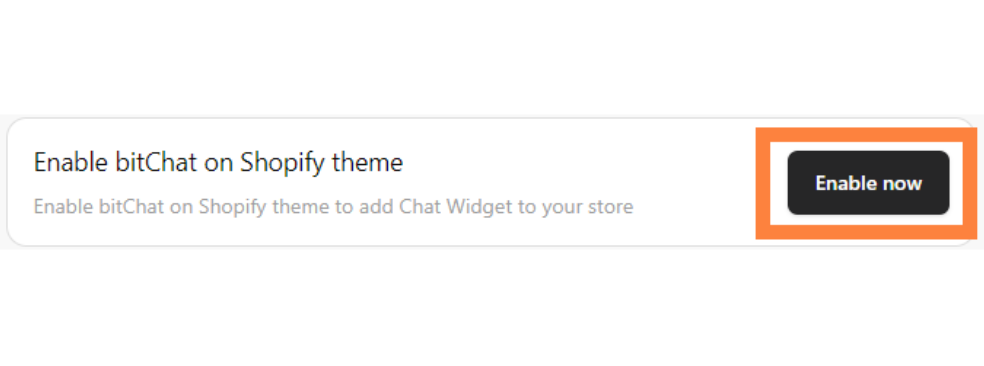 Click "Add User"
* Enter the “User Email” and choose "Regular User" in the role selection dropdown.
Click "Add User"
* Enter the “User Email” and choose "Regular User" in the role selection dropdown.
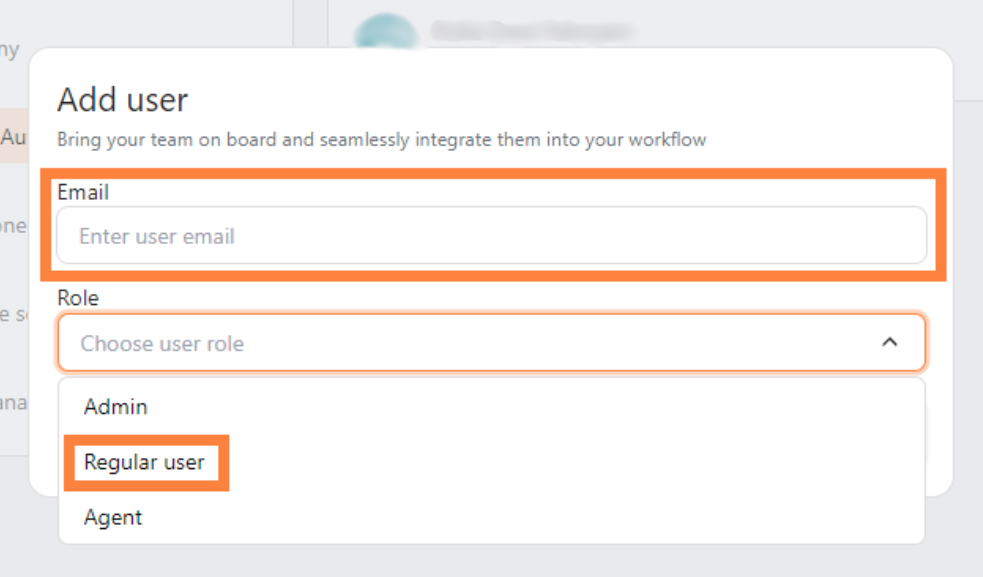 Fill in "User Email" and choose "Regular User"
**Step 3: Send the Invitation:**
* Enable the option by clicking the checkbox “Agent Access” and click "Send Invite."
Fill in "User Email" and choose "Regular User"
**Step 3: Send the Invitation:**
* Enable the option by clicking the checkbox “Agent Access” and click "Send Invite."
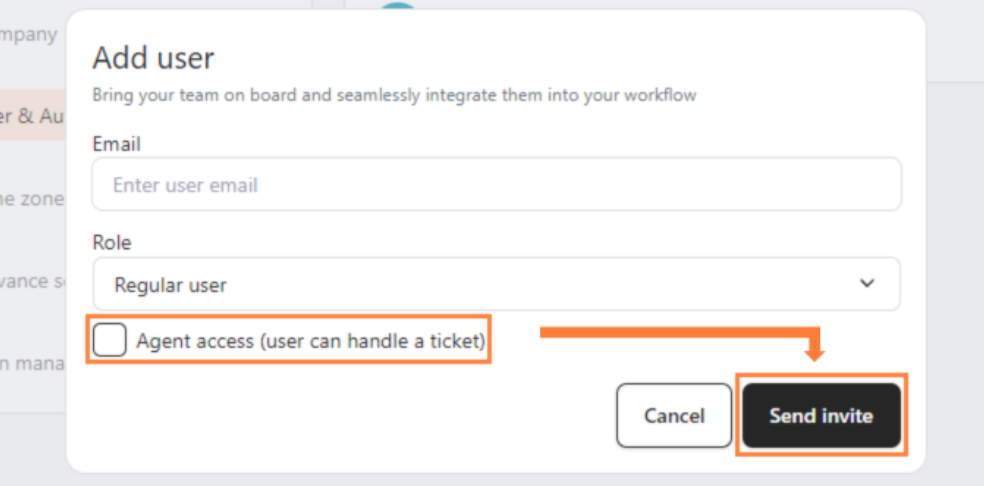 Click "Agent Access" then click "Send Invite"
**Table of Authority**
| Action / Page | Super | Admin | Agent | User |
| ------------------------ | :---: | :---: | :---: | :--: |
| bitCRM, bitApp, bitLink | ✅ | ✅ | ❌ | ✅ |
| Handle Tickets | ✅ | ✅ | ✅ | ❌ |
| Edit Ticket Status | ✅ | ✅ | ✅ | ❌ |
| Chat Setup | ✅ | ✅ | ✅ | ✅ |
| Access Analytics | ✅ | ✅ | ❌ | ✅ |
| Customers Page | ✅ | ✅ | ✅ | ✅ |
| Account Settings | ✅ | ✅ | ✅ | ✅ |
| Company Settings | ✅ | ✅ | ❌ | ❌ |
| User Authority | ✅ | ✅ | ❌ | ❌ |
| Pricing (View) | ✅ | ✅ | ✅ | ✅ |
| Pricing (Upgrade/Downg.) | ✅ | ✅ | ❌ | ❌ |
| Delete Company | ✅ | ❌ | ❌ | ❌ |
* **Super Admin:** The ultimate authority. They are the **only** role that can **delete the company**. They share every other permission with the Admin.
* **Admin:** Identical to Super Admin in every day-to-day operation (managing users, pricing, settings), but blocked from the destructive action of deleting the company.
* **Regular User vs. Agent:**
* **Regular Users** are for **internal work**: They get the Apps (CRM, etc.) and Analytics, but cannot handle support tickets.
* **Agents** are for **external support**: They get the Ticket/Chat tools, but are blocked from Apps and Analytics.
Click "Agent Access" then click "Send Invite"
**Table of Authority**
| Action / Page | Super | Admin | Agent | User |
| ------------------------ | :---: | :---: | :---: | :--: |
| bitCRM, bitApp, bitLink | ✅ | ✅ | ❌ | ✅ |
| Handle Tickets | ✅ | ✅ | ✅ | ❌ |
| Edit Ticket Status | ✅ | ✅ | ✅ | ❌ |
| Chat Setup | ✅ | ✅ | ✅ | ✅ |
| Access Analytics | ✅ | ✅ | ❌ | ✅ |
| Customers Page | ✅ | ✅ | ✅ | ✅ |
| Account Settings | ✅ | ✅ | ✅ | ✅ |
| Company Settings | ✅ | ✅ | ❌ | ❌ |
| User Authority | ✅ | ✅ | ❌ | ❌ |
| Pricing (View) | ✅ | ✅ | ✅ | ✅ |
| Pricing (Upgrade/Downg.) | ✅ | ✅ | ❌ | ❌ |
| Delete Company | ✅ | ❌ | ❌ | ❌ |
* **Super Admin:** The ultimate authority. They are the **only** role that can **delete the company**. They share every other permission with the Admin.
* **Admin:** Identical to Super Admin in every day-to-day operation (managing users, pricing, settings), but blocked from the destructive action of deleting the company.
* **Regular User vs. Agent:**
* **Regular Users** are for **internal work**: They get the Apps (CRM, etc.) and Analytics, but cannot handle support tickets.
* **Agents** are for **external support**: They get the Ticket/Chat tools, but are blocked from Apps and Analytics.