> ## Documentation Index
> Fetch the complete documentation index at: https://knowledge.bitbybit.studio/llms.txt
> Use this file to discover all available pages before exploring further.
# RideBlitz
> Request the concierge RideBlitz enterprise setup and connect RideBlitz instant delivery to your bitbybit store
Connect RideBlitz to unlock instant delivery for your store. RideBlitz requires a custom enterprise setup, so the bitbybit onboarding team handles the integration for you through a concierge service.
## Step 1: Locate RideBlitz in Integrations
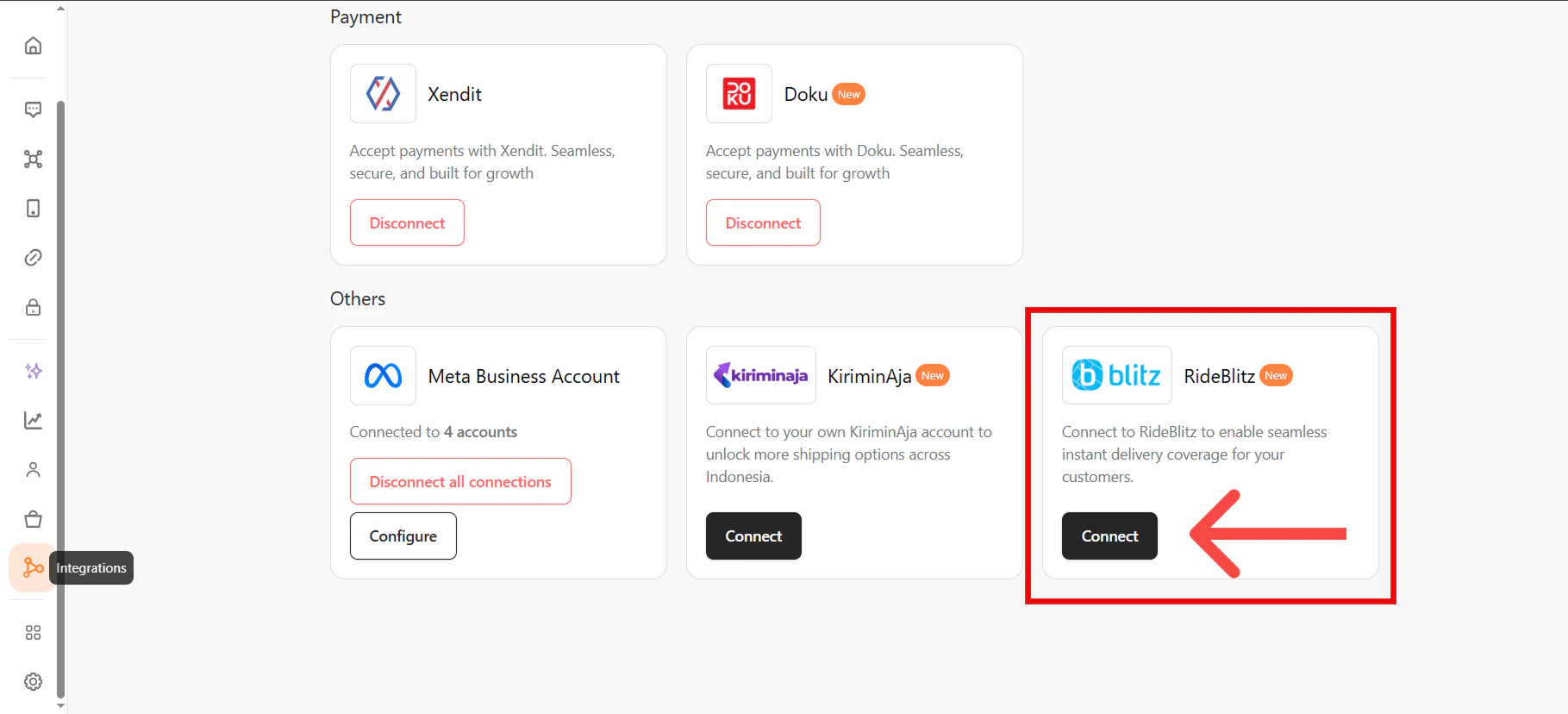
Log in to bitbybit, go to [Integrations](https://app.bitbybit.studio/integrations), find the **RideBlitz** card, and click **Connect**. A modal explains the enterprise setup requirements.
 ## Step 2: Request integration via WhatsApp
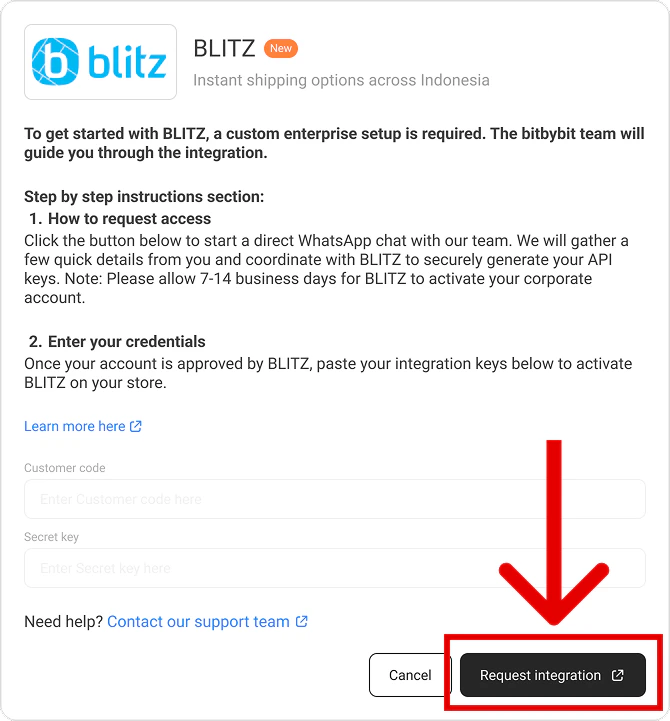
In the modal, click **Request Integration**. You're redirected to a new WhatsApp tab with a pre-filled message containing your name and Company ID. Send it to reach the bitbybit onboarding team directly.
## Step 2: Request integration via WhatsApp
In the modal, click **Request Integration**. You're redirected to a new WhatsApp tab with a pre-filled message containing your name and Company ID. Send it to reach the bitbybit onboarding team directly.
 ## Step 3: Wait for enterprise setup
The bitbybit team coordinates directly with RideBlitz to generate your enterprise API keys.
Allow 7–14 business days for RideBlitz to process and activate your corporate account.
## Step 4: Finalize the connection
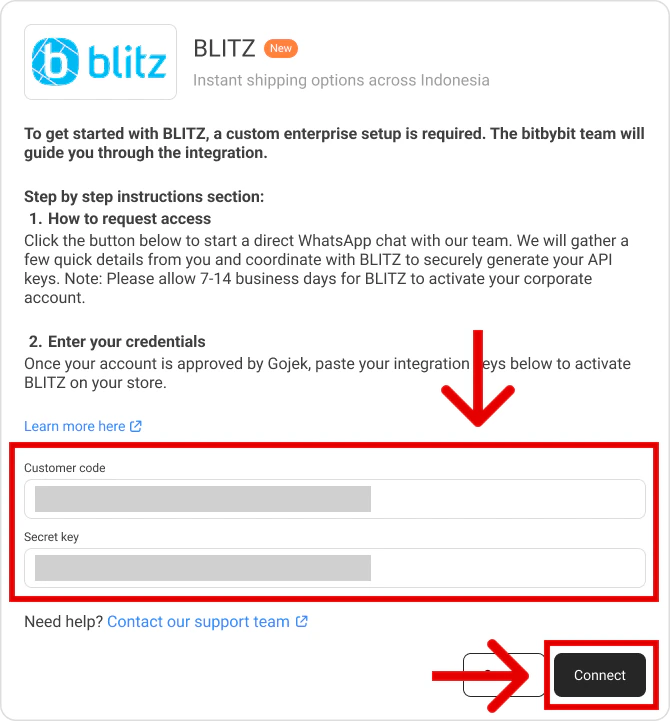
Once your account is approved, the bitbybit team notifies you and unlocks your configuration fields. Return to the **Integrations** page and click **RideBlitz** — the API fields are now unlocked. The team either pastes the credentials for you or provides them for you to paste yourself. Click **Connect** to save the credentials.
## Step 3: Wait for enterprise setup
The bitbybit team coordinates directly with RideBlitz to generate your enterprise API keys.
Allow 7–14 business days for RideBlitz to process and activate your corporate account.
## Step 4: Finalize the connection
Once your account is approved, the bitbybit team notifies you and unlocks your configuration fields. Return to the **Integrations** page and click **RideBlitz** — the API fields are now unlocked. The team either pastes the credentials for you or provides them for you to paste yourself. Click **Connect** to save the credentials.
 You can now start dispatching RideBlitz couriers directly from the bitbybit platform.
## Related
* [GoSend](/integrations/gosend)
* [KiriminAja](/integrations/kiriminaja)
You can now start dispatching RideBlitz couriers directly from the bitbybit platform.
## Related
* [GoSend](/integrations/gosend)
* [KiriminAja](/integrations/kiriminaja)