> ## Documentation Index
> Fetch the complete documentation index at: https://knowledge.bitbybit.studio/llms.txt
> Use this file to discover all available pages before exploring further.
# WhatsApp Business App
> Connect your WhatsApp Business App number to bitbybit so WhatsApp Cloud API runs alongside your app while your chat history is preserved
Connecting the WhatsApp Business App lets the WhatsApp Business App and the Cloud API run at the same time on one number. You can move to an API-based solution without deactivating your current account, so your chat history is preserved.
For a step-by-step walkthrough, visit [our YouTube channel](https://www.youtube.com/@bitbybit.studio/videos).
## Why connect this way
1. **Flexibility and cost-efficiency.** Use the app for personal, one-on-one chats while the API handles automation, agents, and high-volume broadcasts. This mix optimizes costs.
2. **No lost data.** Adopt the API without deactivating your account. Messages are mirrored and synced between both platforms, preserving conversation history, and contacts are imported automatically. You can also import up to 6 months of 1:1 chats and 2 weeks of multimedia history. Group chats are not imported.
3. **Scalability and professionalism.** Manage a high volume of messages through the API while keeping a single, professional number for a seamless customer experience.
## Before you start
1. A valid [Facebook Business](http://business.facebook.com/) account.
2. An active **WhatsApp Business App** phone number.
3. A completed [Meta verification](/integrations/whatsapp-cloud-api) process, covering both phone number verification and business verification.
## Step 1: Access Integrations
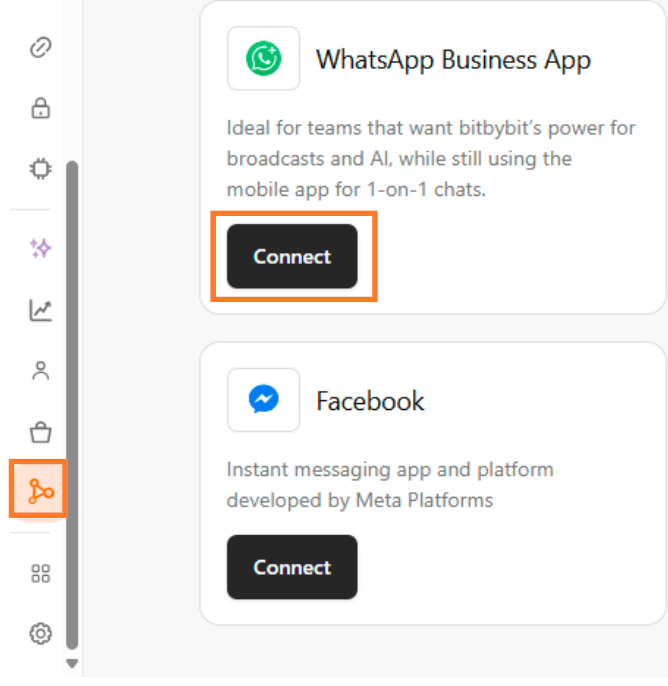
Navigate to the [Integrations](https://app.bitbybit.studio/integrations) dashboard and select **WhatsApp Business App**.
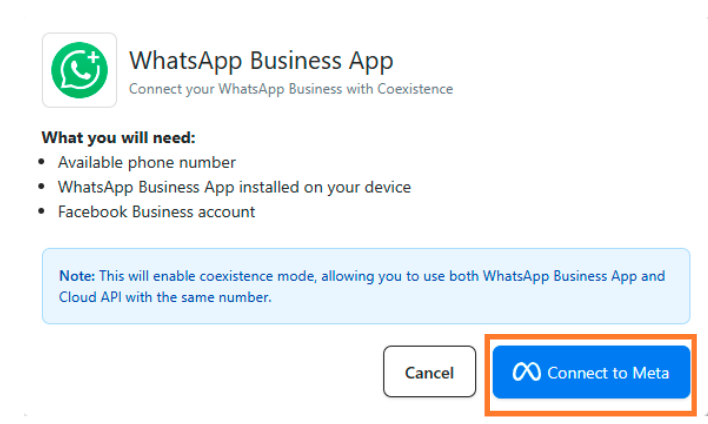
## Step 2: Connect your Meta account
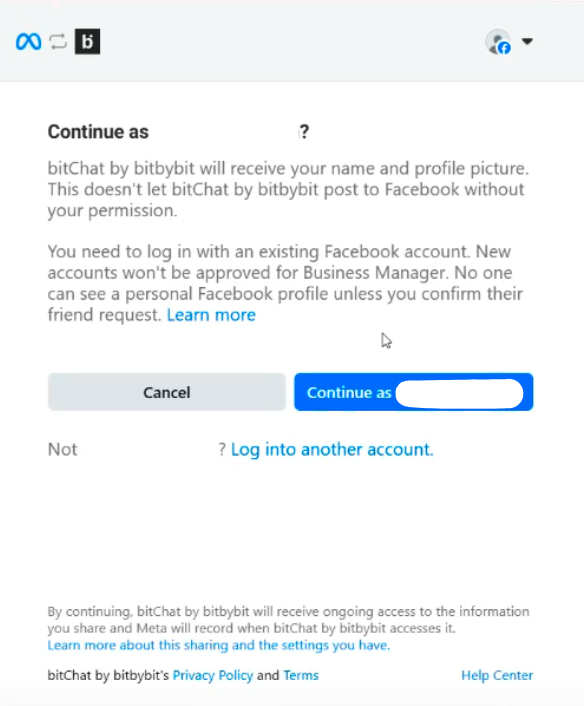
## Step 3: Connect your Facebook account
## Step 4: Start connecting to bitbybit
## Step 5: Choose your Business Portfolio
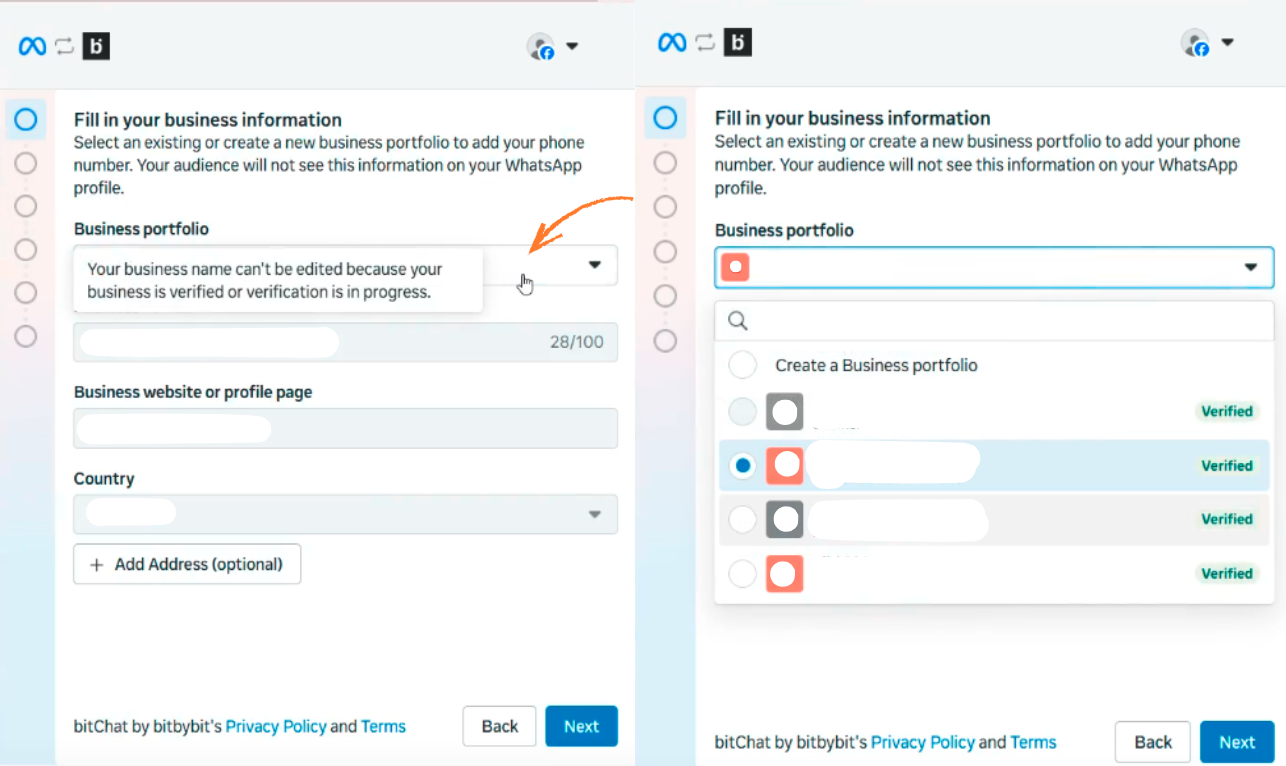
Choose your Business Portfolio and fill in all the information.
If your business has multiple portfolios, choose the portfolio you want to integrate.
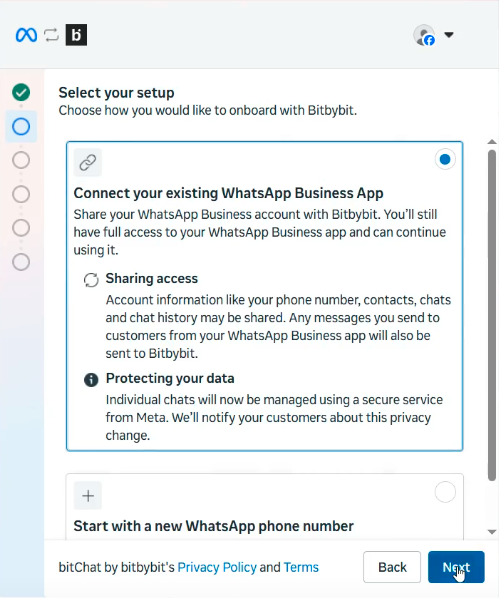
## Step 6: Choose to connect with WhatsApp Business
## Step 7: Insert your WhatsApp Business number
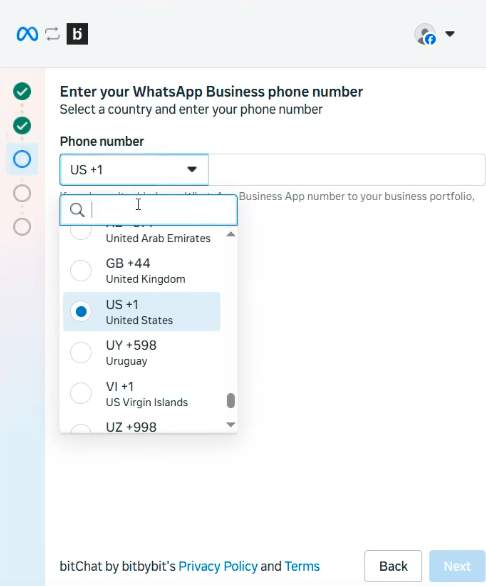
Enter the WhatsApp Business number you want to integrate with bitbybit.
## Step 8: Scan the QR code
Scan the QR code from your **WhatsApp Business App**.
1. Look at your screen for the **"Share Contacts and Chats"** pop-up, which displays a QR code.
2. Go to your WhatsApp Business App and find the message from **Facebook Business**.
3. Open the message, click **"Connect"**, then confirm by clicking **"Connect to the Business Platform"**.
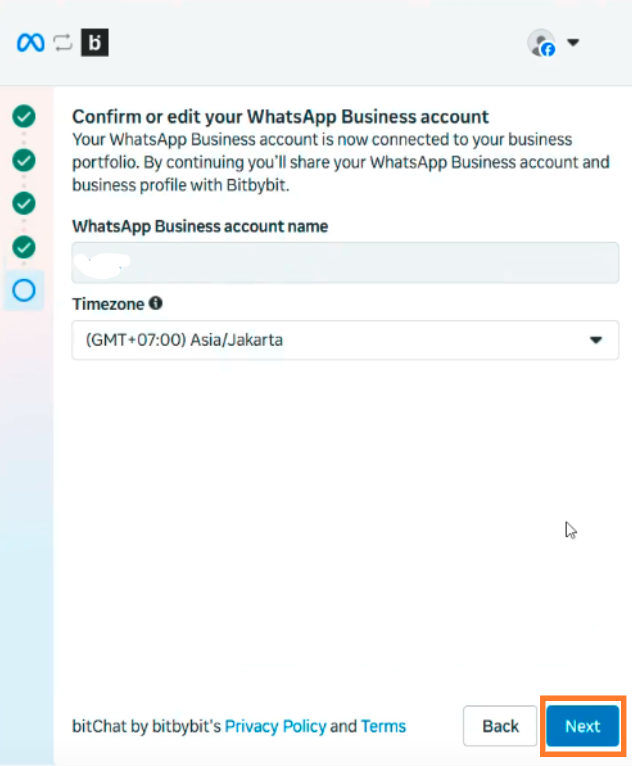
## Step 9: Set up your timezone
## Step 10: Confirm the connection
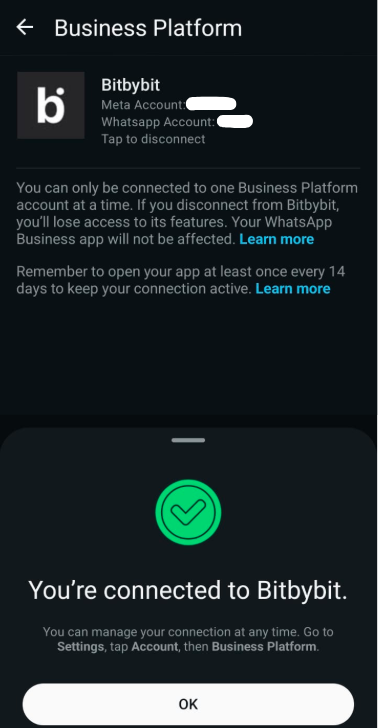
To check that your WhatsApp account is connected to bitbybit, your WhatsApp Business App shows a confirmation screen. You can also find it in **Settings → Account → Connect to Business Platform**.
As with the Cloud API, you still need to [add a payment method](/integrations/whatsapp-cloud-api#step-6-add-a-payment-method) to unlock all messaging features.
## Feature comparison
The table below outlines the features available for each type of WhatsApp business setup: the standard **WhatsApp Business App**, the **WhatsApp Business App connected to Cloud API**, and the fully integrated **WhatsApp Cloud API**. It also highlights how certain features change once a business is onboarded to the Cloud API. Source: [Meta's onboarding documentation](https://developers.facebook.com/docs/whatsapp/embedded-signup/custom-flows/onboarding-business-app-users/).
| Existing feature on the WhatsApp Business App | Changes after onboarding to Cloud API | Supported on Cloud API? |
| :------------------------------------------------------------------------------------------------------ | :----------------------------------------------------------------------------------------------------------- | :--------------------------------------------------------------------------------------------------------------------------------------------------------------------- |
| Individual (1:1) chats | Message Edit/Revoke is no longer supported. | Supported. All chat messages in the most recent 6 months can be synchronized. Messages sent and received are mirrored between the Cloud API and WhatsApp Business App. |
| Contacts | No change. | Supported. All contacts with a WhatsApp number can be synchronized. |
| Group chats | No change. | Not supported. Group chats will not be synchronized. |
| Disappearing messages | Disappearing messages will be turned off for all individual (1:1) chats. | Not supported. |
| View once message | View once messages will be disabled for all individual (1:1) chats. | Not supported. |
| Live location message | Live location messages will be disabled for all individual (1:1) chats. | Not supported. |
| Broadcast lists | Broadcast lists will be disabled. You cannot create new Broadcast Lists, and existing ones become read-only. | Not supported. |
| Voice and video calls | No change. | Not supported. |
| Business tools (for example catalog, orders, status) | No change. | Not supported. |
| Messaging tools (for example marketing messages, greeting message, away message, quick replies, labels) | No change. | Not supported. |
| Business profile (for example business name, address, website) | No change. | Not supported. |
| Channels | No change. | Not supported. |
## Related
* [WhatsApp Cloud API](/integrations/whatsapp-cloud-api) — full automation, templates, and Campaigns at scale
* [WhatsApp Sandbox](/integrations/whatsapp-sandbox) — test features with your own number
 ## Step 2: Connect your Meta account
 ## Step 3: Connect your Facebook account
 ## Step 4: Start connecting to bitbybit
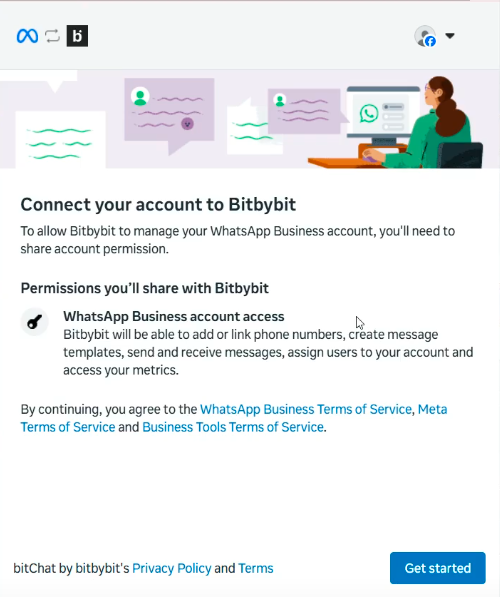 ## Step 5: Choose your Business Portfolio
Choose your Business Portfolio and fill in all the information.
## Step 5: Choose your Business Portfolio
Choose your Business Portfolio and fill in all the information.
 ## Step 7: Insert your WhatsApp Business number
Enter the WhatsApp Business number you want to integrate with bitbybit.
## Step 7: Insert your WhatsApp Business number
Enter the WhatsApp Business number you want to integrate with bitbybit.
 ## Step 8: Scan the QR code
Scan the QR code from your **WhatsApp Business App**.
## Step 8: Scan the QR code
Scan the QR code from your **WhatsApp Business App**.
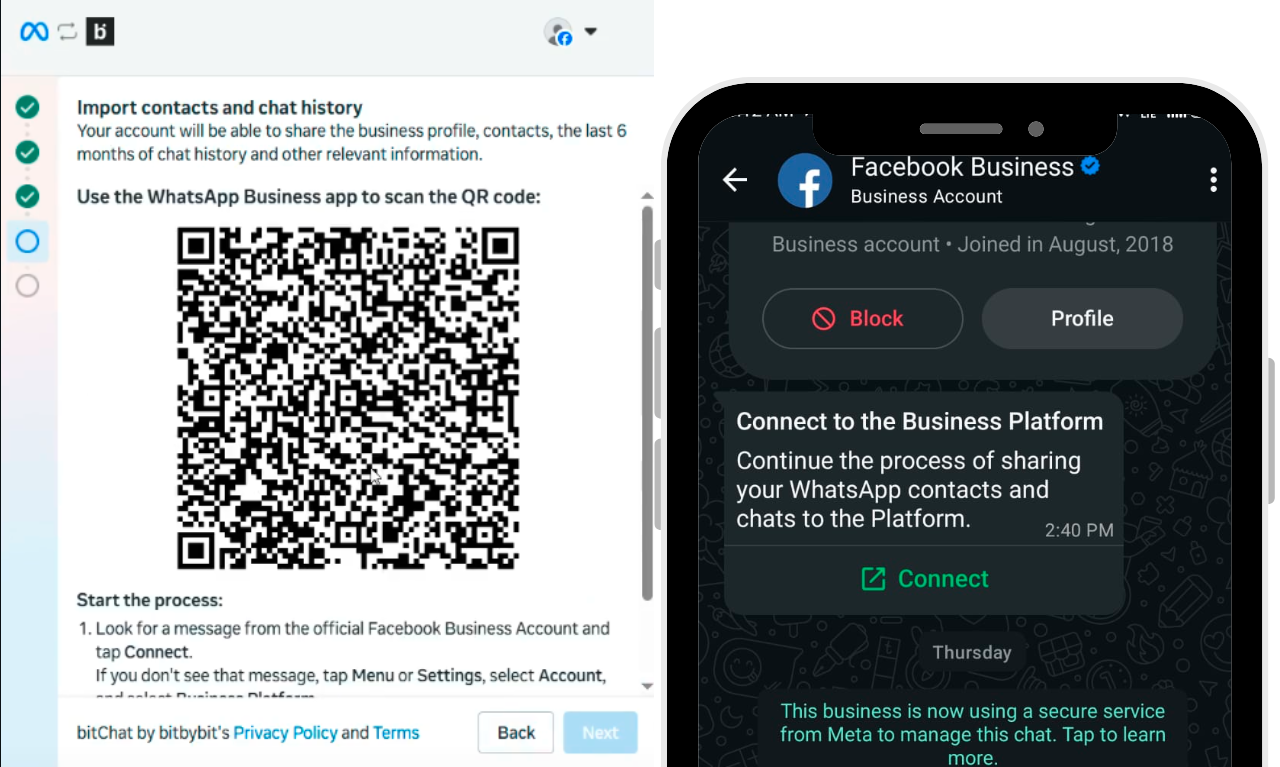 1. Look at your screen for the **"Share Contacts and Chats"** pop-up, which displays a QR code.
2. Go to your WhatsApp Business App and find the message from **Facebook Business**.
3. Open the message, click **"Connect"**, then confirm by clicking **"Connect to the Business Platform"**.
## Step 9: Set up your timezone
1. Look at your screen for the **"Share Contacts and Chats"** pop-up, which displays a QR code.
2. Go to your WhatsApp Business App and find the message from **Facebook Business**.
3. Open the message, click **"Connect"**, then confirm by clicking **"Connect to the Business Platform"**.
## Step 9: Set up your timezone
 ## Step 10: Confirm the connection
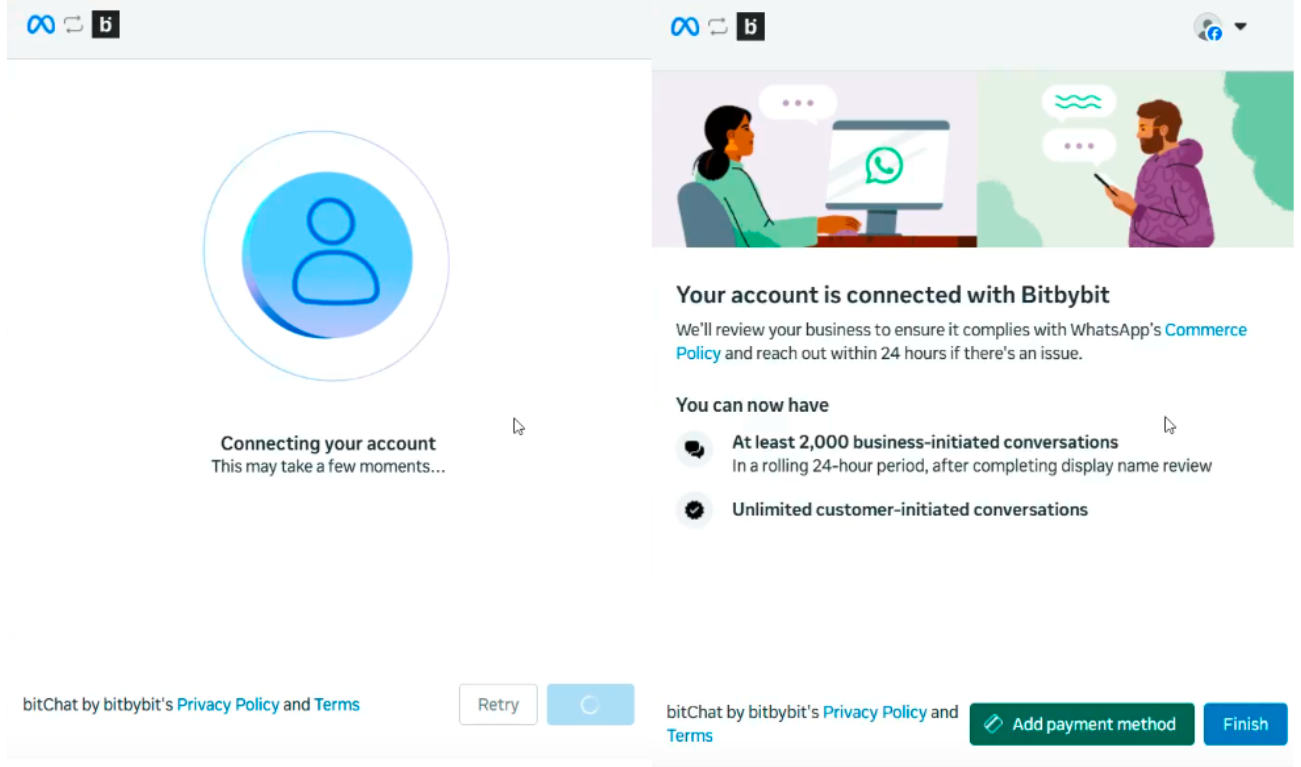 To check that your WhatsApp account is connected to bitbybit, your WhatsApp Business App shows a confirmation screen. You can also find it in **Settings → Account → Connect to Business Platform**.