> ## Documentation Index
> Fetch the complete documentation index at: https://knowledge.bitbybit.studio/llms.txt
> Use this file to discover all available pages before exploring further.
# How to integrate Blitz with bitbybit
> Request the concierge RideBlitz enterprise setup and connect Blitz instant delivery to your bitbybit store
Easily connect BLITZ with bitbybit to unlock instant delivery options for your store. Because BLITZ requires a custom enterprise setup, our onboarding team provides a concierge service to handle the integration on your behalf. Follow the steps below to request your setup.
***
## Step 1: Open integrations menu & Locate BLITZ
* Log in to **bitbybit**.
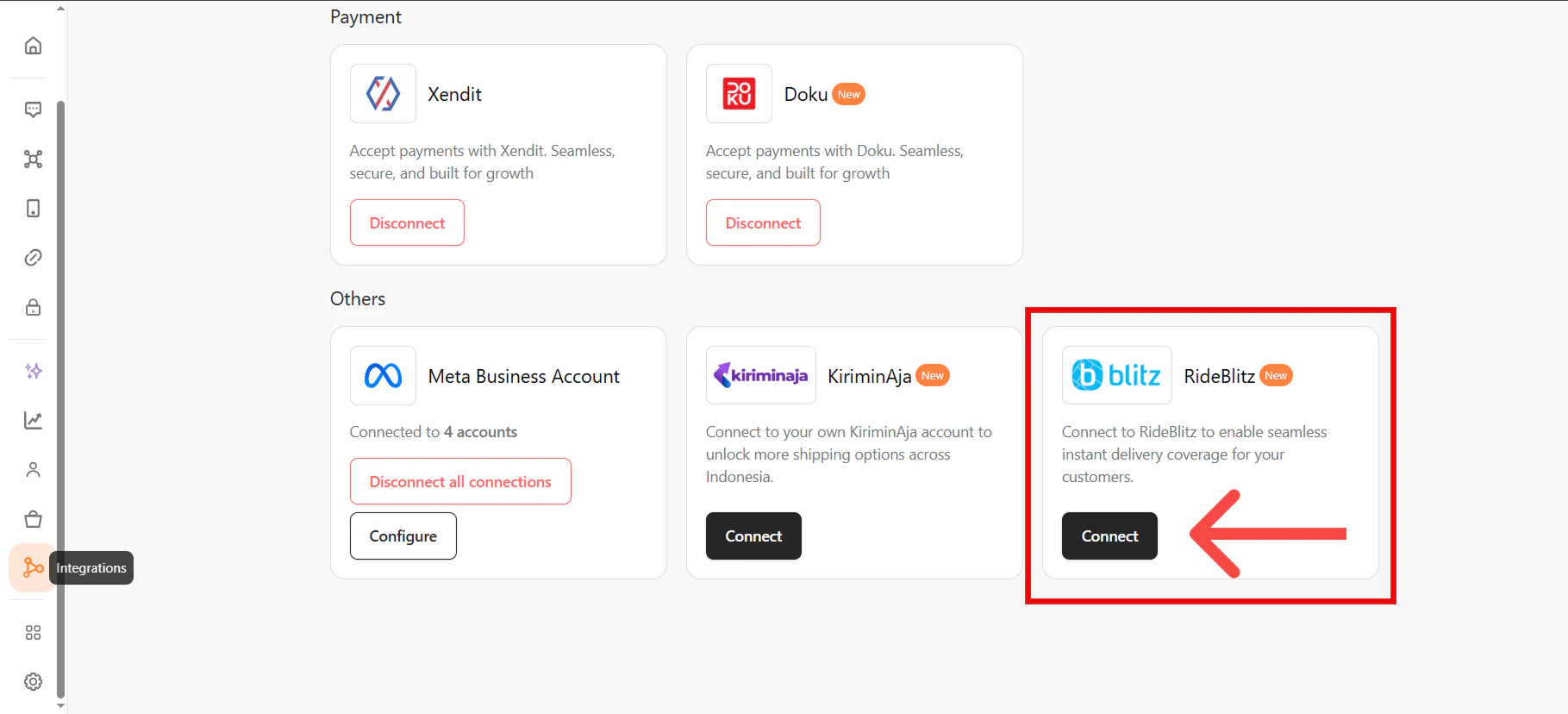
* Navigate to the **Integrations** page from the side menu.
* Locate the **BLITZ** integration card.
* Click **Connect**. A modal will appear explaining the enterprise setup requirements.
 ***
## Step 2: Request Integration via WhatsApp
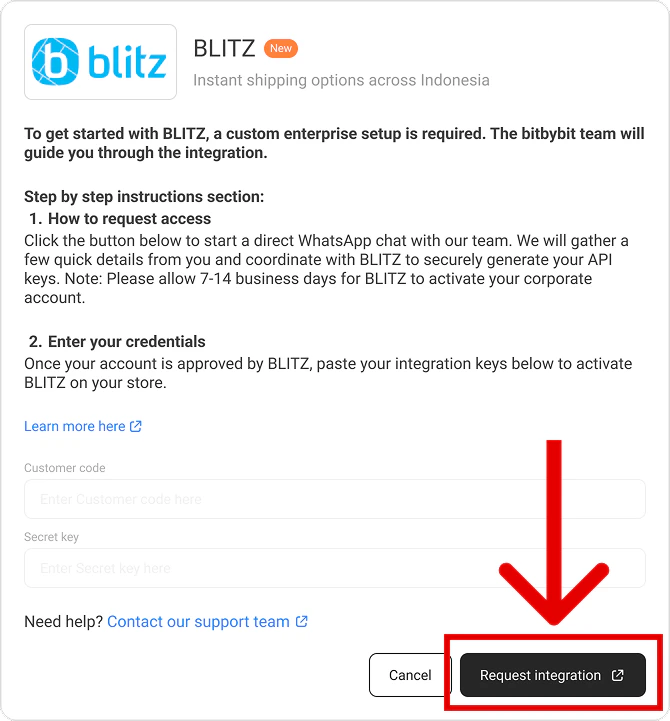
* Inside the modal, click the **Request Integration** button.
* You will be redirected to a new WhatsApp tab with a pre-filled message containing your Name and Company ID.
* Hit **Send** to deliver the message directly to the bitbybit onboarding team.
***
## Step 2: Request Integration via WhatsApp
* Inside the modal, click the **Request Integration** button.
* You will be redirected to a new WhatsApp tab with a pre-filled message containing your Name and Company ID.
* Hit **Send** to deliver the message directly to the bitbybit onboarding team.
 ***
## Step 3: Wait for Enterprise Setup
* Our team will coordinate directly with BLITZ to securely generate your enterprise API keys.
⚠️ *Note: Please allow 7-14 business days for BLITZ to fully process and activate your corporate account.*
***
## Step 4: Finalize the Connection
* Once your account is approved, the bitbybit team will notify you and unlock your configuration fields.
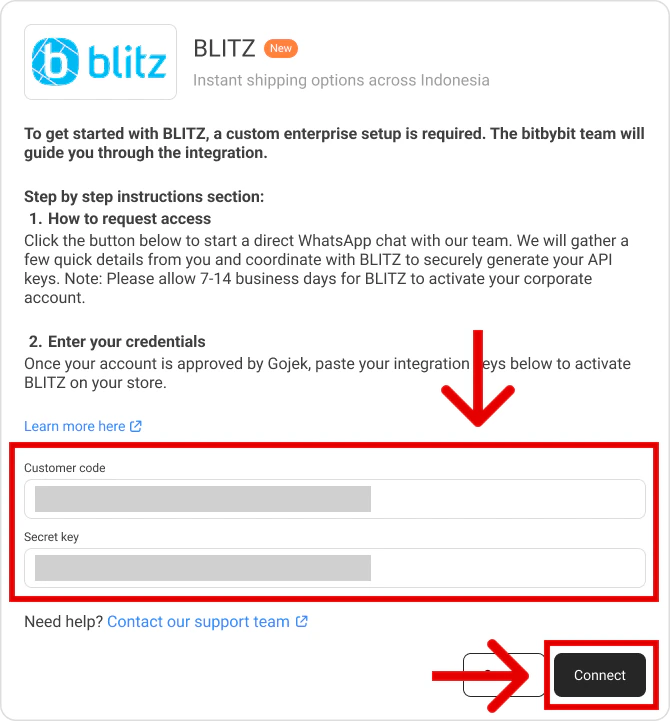
* Return to the **Integrations** page on bitbybit and click on **BLITZ**.
* The API fields will now be unlocked. The bitbybit team will either paste the credentials for you, or provide you with the keys to paste yourself.
* Click **Connect** to save the credentials.
***
## Step 3: Wait for Enterprise Setup
* Our team will coordinate directly with BLITZ to securely generate your enterprise API keys.
⚠️ *Note: Please allow 7-14 business days for BLITZ to fully process and activate your corporate account.*
***
## Step 4: Finalize the Connection
* Once your account is approved, the bitbybit team will notify you and unlock your configuration fields.
* Return to the **Integrations** page on bitbybit and click on **BLITZ**.
* The API fields will now be unlocked. The bitbybit team will either paste the credentials for you, or provide you with the keys to paste yourself.
* Click **Connect** to save the credentials.
 ## 🎉 Integration Complete!
You can now start dispatching BLITZ couriers directly from the bitbybit platform.
## 🎉 Integration Complete!
You can now start dispatching BLITZ couriers directly from the bitbybit platform.