

1
Open Skills
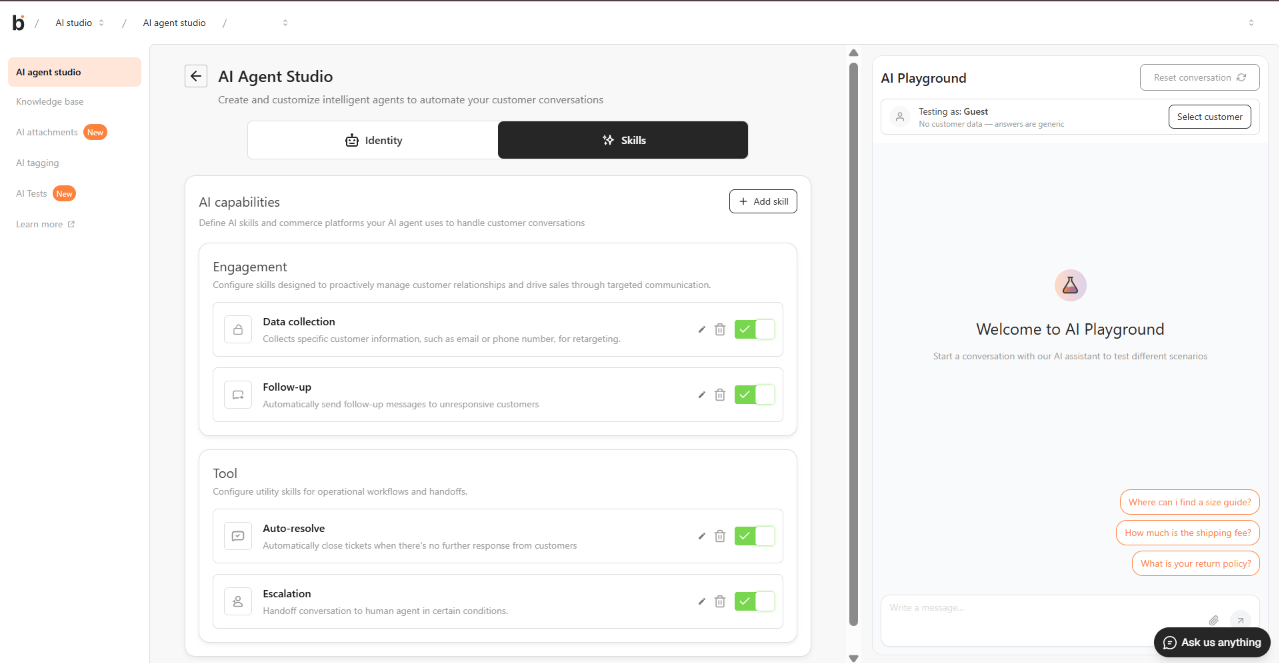
Open the intended agent in AI Studio > AI agent studio, then select Skills. If Save your agent to unlock skills appears, return to Identity and save the agent first.
2
Add and configure a skill
- Select Add skill and choose the skill.
- Select Add, then open its card.
- Review the settings and connected system.
- Select Save skillset when that control appears.
- Confirm that the skill switch has the intended state.
3
Check the result
Test one request that should use the skill and one that should not. Check the actual order, customer profile, ticket assignment, message, or automation result separately.
Choose a skill
- Commerce
- Engagement
- Tool
- Custom
- Product recommendation: confirm that the intended catalog and commerce connection are available.
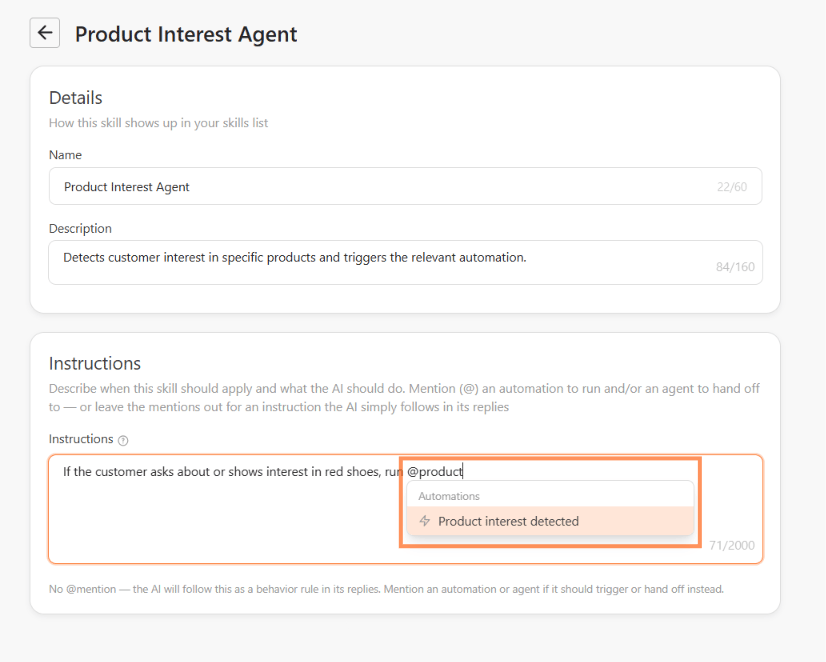
- Create order: specify what the agent must confirm before creating an order. During testing, inspect the resulting order and its status.
- Order tracking: use an approved order and verify the reply against the actual order record.
Check Create order safely
Check Create order safely
- Confirm the item, variant, quantity, address, shipping choice, and customer approval in the instructions.
- Review the selected commerce source and any draft-review option shown.
- Use an approved test and inspect the created order before treating the test as successful.
Check Follow-up, Auto-resolve, and Escalation
Check Follow-up, Auto-resolve, and Escalation
- Follow the limits and validation displayed in the current workspace.
- Confirm who can receive a message or handoff and when the action should stop.
- Do not test Auto-resolve on a real unresolved customer ticket.
Troubleshooting
Troubleshooting
- A skill is unavailable: check the saved agent, required connection, and workspace access.
- Save fails: read the exact error and check whether the previous settings remain active.
- The reply claims success without a result: treat the action as unconfirmed and inspect its destination before retrying.
- You no longer need a skill: turn it off to keep its settings, or use the removal action and review the confirmation.