Step 1: Access the Integrations dashboard
Go to the Integrations dashboard and click “Connect” on Yotpo.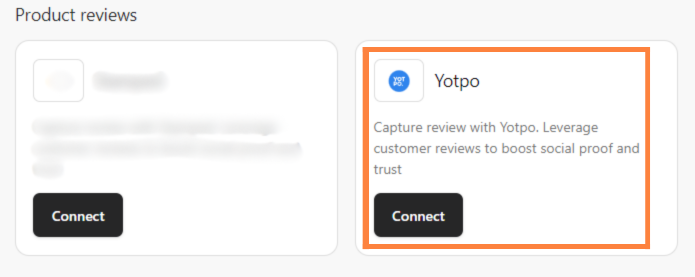
Step 2: Enter your credentials
Enter your “App Key” and “App Secret” from Yotpo, then click “Continue”.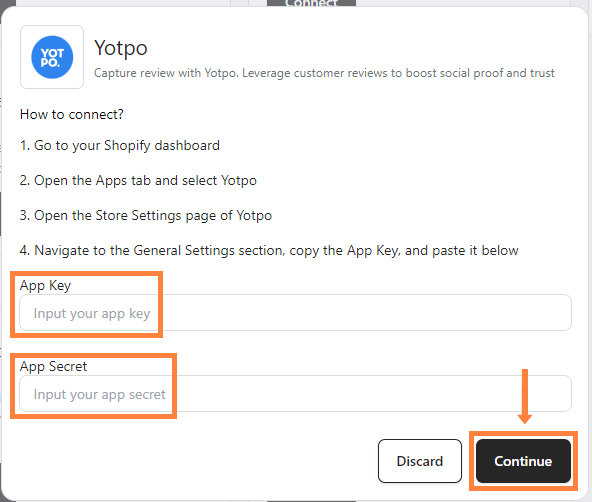 Yotpo is then integrated directly into your Shopify store.
Find your Yotpo App Key and App Secret
Step 1: Open Yotpo in Shopify
Go to your Shopify admin, click “Apps” in the sidebar, then select “Yotpo”.
Step 2: Open the Yotpo Reviews admin
Click “Yotpo Reviews admin”.
Step 3: Open General Settings
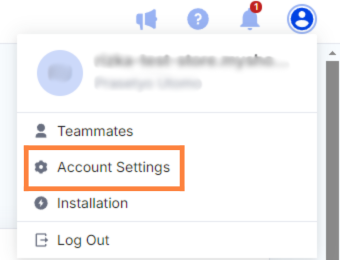
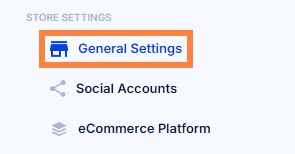
Click the “Profile” icon at the top right, select “Account Settings”, then “General Settings”. Your App Key and App Secret are listed there.