

Manual redemption (handled by a team member)
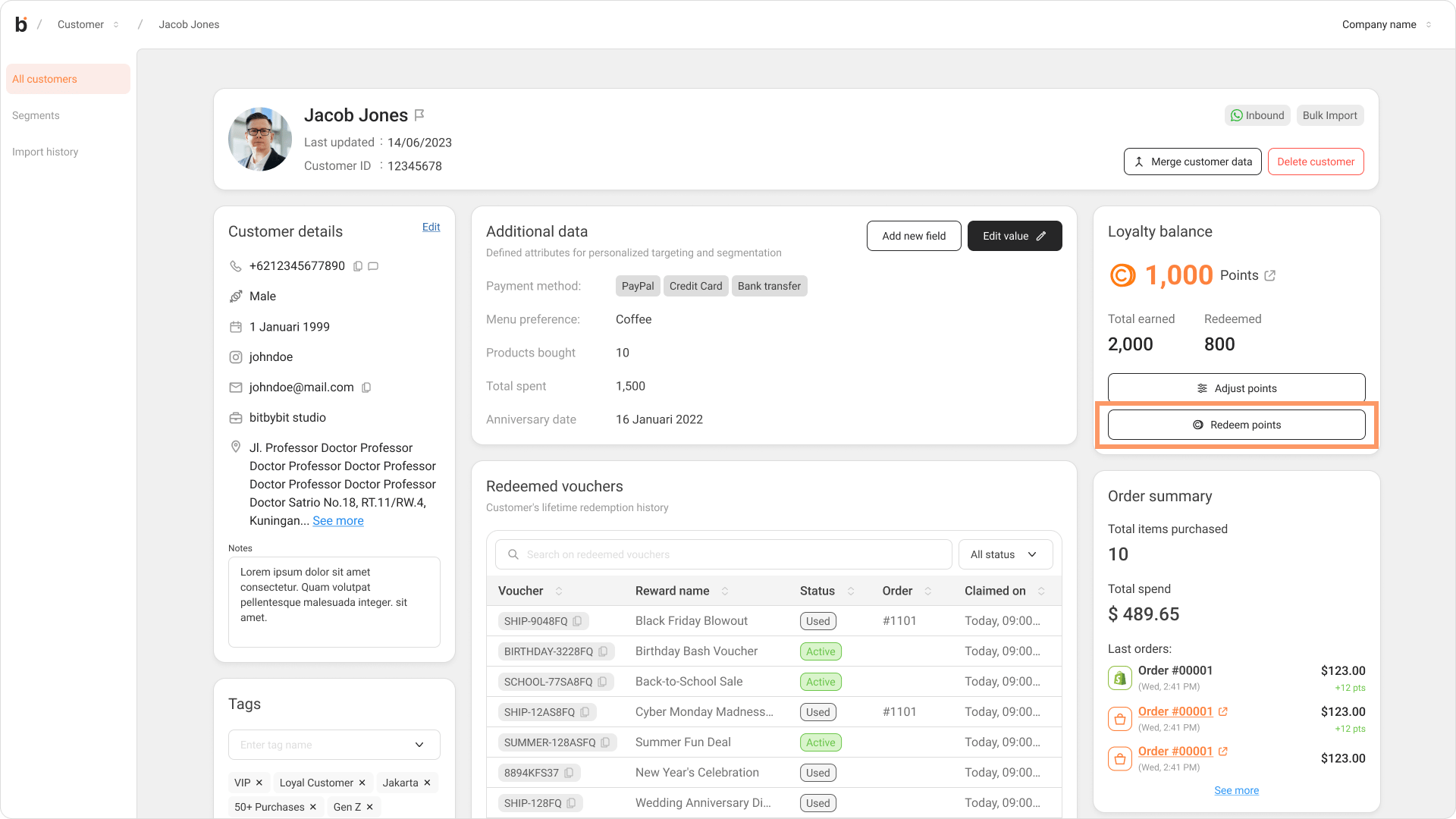
Use this when an Admin or Customer Support agent redeems points on behalf of a customer — for example, during a live chat conversation.- Open Customers and click into the customer’s detail page.
- In the Loyalty balance card, click Redeem points.
- In the Redeem point modal (“Convert customer points into a reward voucher”), pick a reward from Select reward options. Rewards the customer can’t afford yet are disabled and show the points still needed.
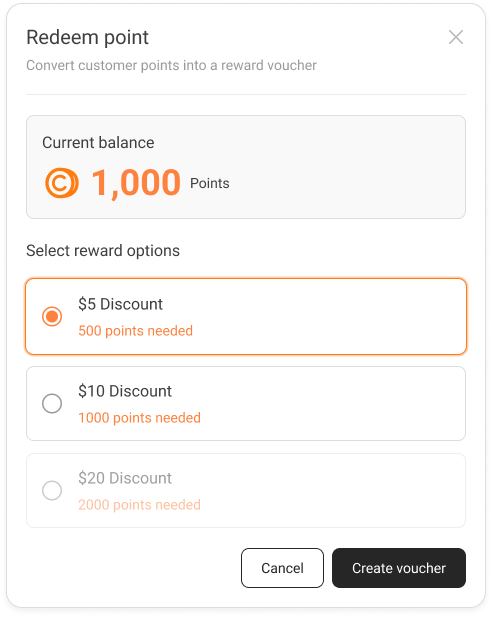
- Click Create voucher. The system deducts the points and generates the voucher code.
- On the Voucher created confirmation, copy the code with the copy button or Close and copy code — you’ll see the toast
Voucher #{code} created & copied. - Paste the code into the chat and send it to the customer.
- The customer enters the voucher code manually at Shopify checkout to apply the discount.
The voucher only applies if the order meets the reward’s minimum purchase amount, and only while the voucher is within its validity window. Until the customer uses it, the voucher sits in their wallet with the status Unused; once applied at checkout it becomes Used.
Manual CS if no specific user is attributed) in the Source column.
AI redemption (self-service in chat)
In the AI flow, the customer redeems their own points by chatting with the AI — no team member is involved. The AI handles the balance check, the redemption, and delivering the voucher code, all inside the conversation.- The customer asks the AI about their loyalty points — for example, “How many loyalty points do I have?”
- The AI replies with their current balance and offers the rewards they can afford, including each voucher’s validity date, with quick-reply buttons to redeem now or save the points for later.
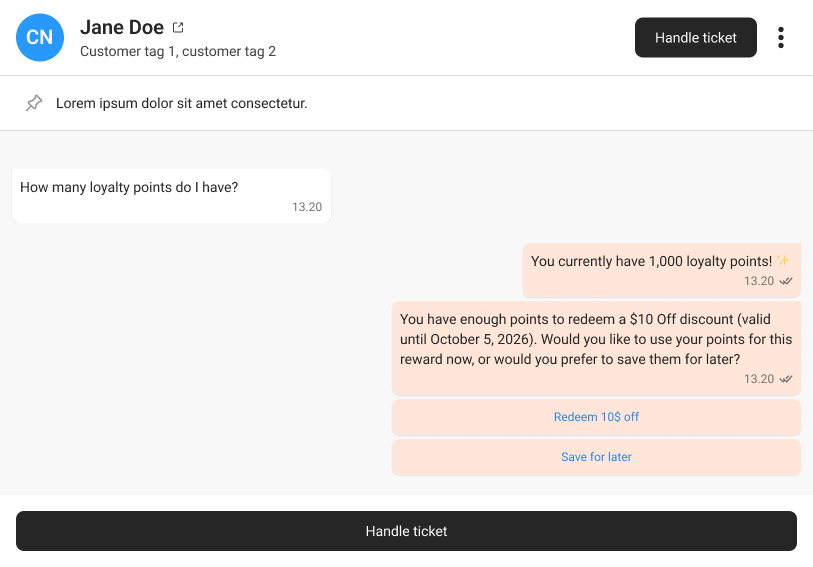
- When the customer taps Redeem $10 Off, the AI redeems the reward, deducts the points, generates the voucher code, and sends it straight into the chat.
- The customer enters the voucher code at Shopify checkout to apply the discount.
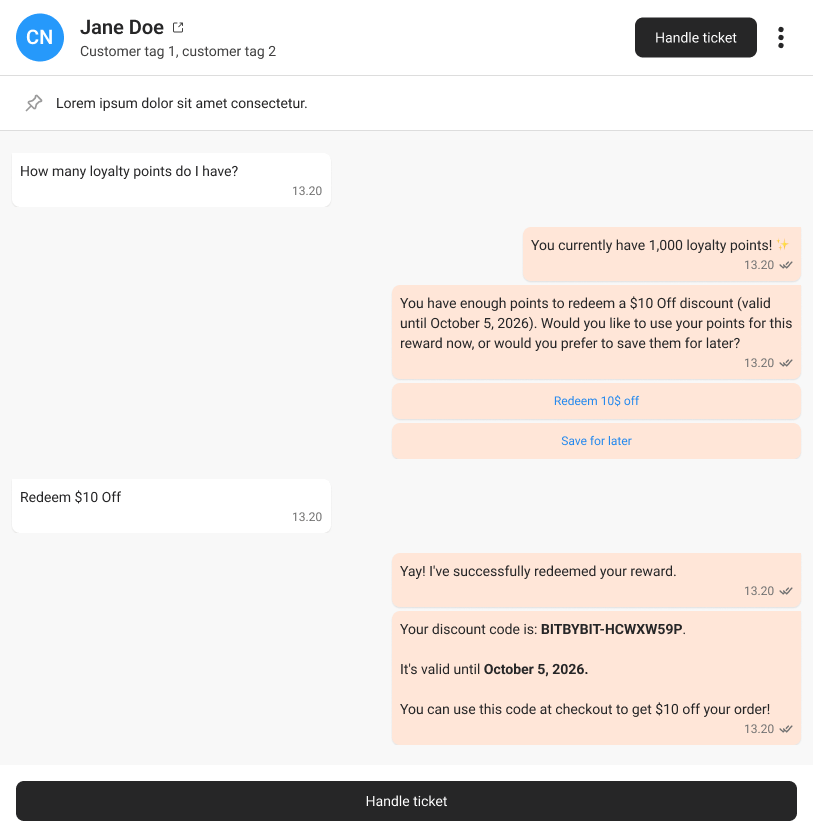
AI generated.
Side-by-side comparison
How to tell them apart later
Every generated voucher is logged on the reward’s detail page. The Source column records how each voucher was created — a CS agent’s name orManual CS for the team-member flow, and AI generated for the automated flow — while the Status column (Unused, Used, Expired) tracks whether it was applied at checkout. See Reward options for the full field reference.
Related
- bitLoyalty overview — what bitLoyalty is and what shipped in v1.
- Reward options — reward fields, the redemption history table, and the
SourceandStatuscolumns. - Quickstart: Turn on bitLoyalty in 10 minutes — enable Loyalty and create your first reward.