

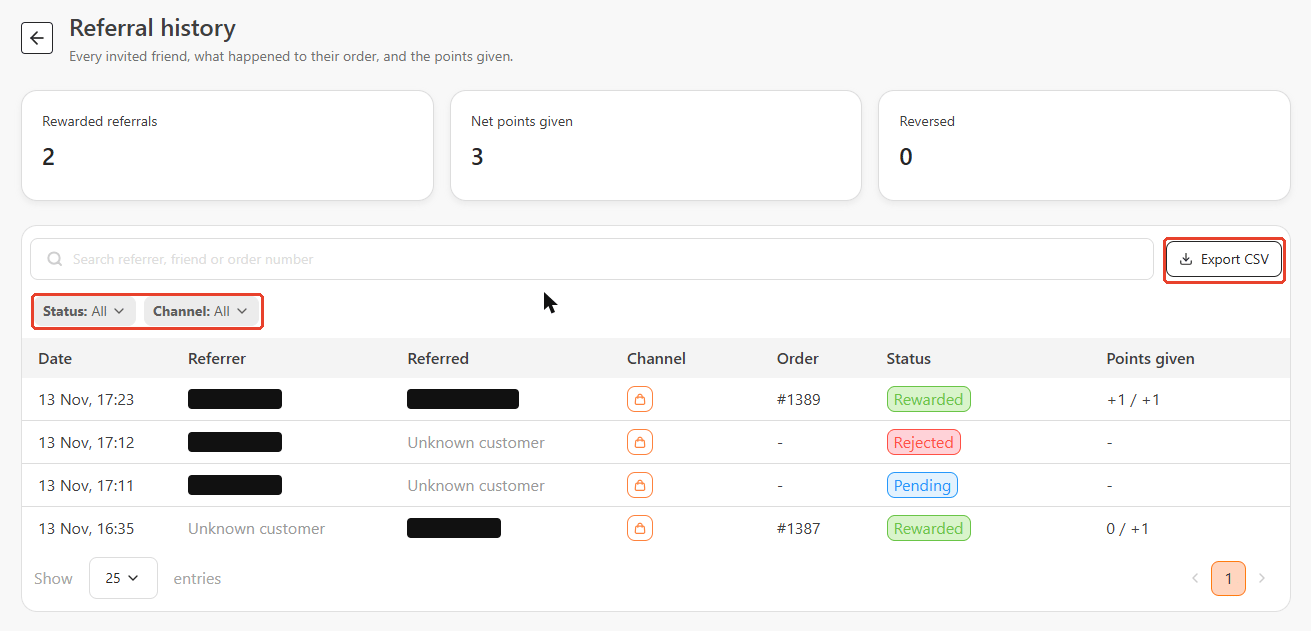
Summary cards
Search, filters, and export
- Search — find a referral by referrer, friend, or order number.
- Status filter — show one referral status: Pending, Rewarded, Rejected, or Reversed. See Referral statuses for what each one means.
- Channel filter — show Shopify or Commerce referrals only.
- Export CSV — download the referral list as a CSV file.
- Show — choose how many entries appear per page. The default is 25.
No referrals yet and explains that referrals appear once a customer’s friend opens their link and buys.
How people are shown in the list
Each row shows the referrer’s name. The friend is shown using the first detail available:- The friend’s name, if bitbybit recognised them.
- On Commerce, the WhatsApp number they messaged from, partly masked.
- On Shopify, the order email, then the order phone number (partly masked), then the order number, for example
#1043.