

Prerequisites
- Shopify: your store is connected through bitLogin and the referral script is active on your Online Store theme.
- Commerce: WhatsApp is connected to your workspace.
- Customers are identified in Customers. Anonymous chat widget visitors don’t get a link.
Turn on referral
1
Open the Referral settings
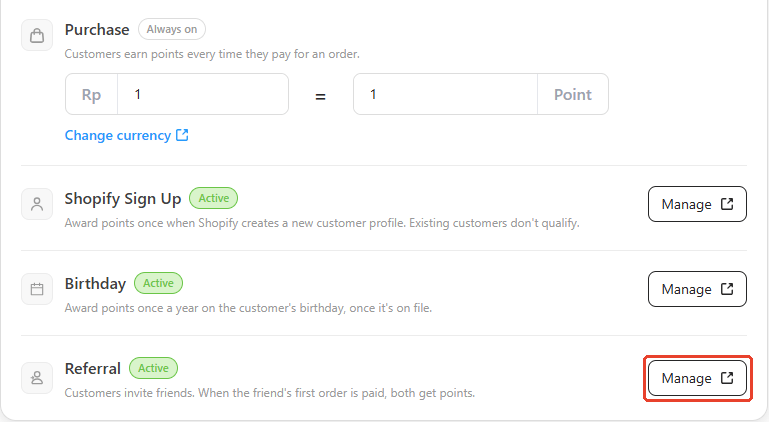
- Open bitLoyalty > Earn points.
- In Ways to earn, click Manage on the Referral card.
2
Enable the program
- Switch on Enable referral program.
3
Set the rewards
Under Rewards: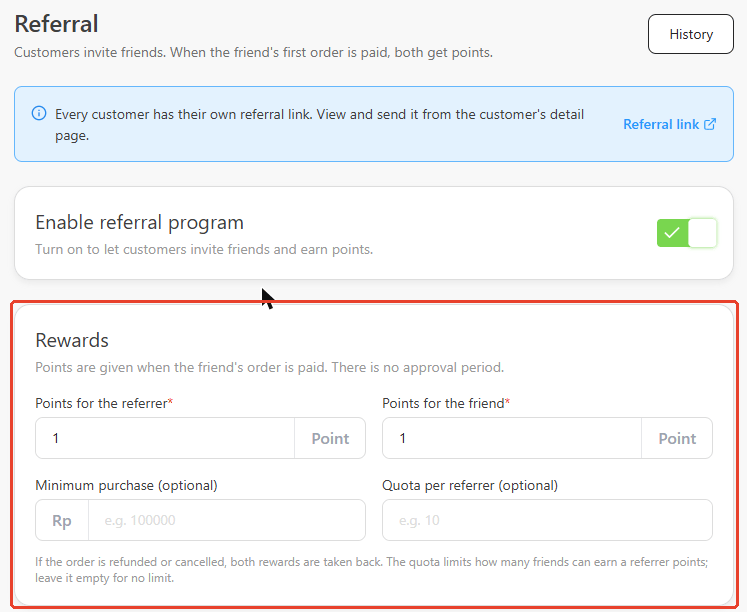
- Points for the referrer (required) — points the inviting customer earns. Default and minimum:
1. - Points for the friend (required) — points the invited friend earns. Default and minimum:
1. - Minimum purchase (optional) — the friend’s order must reach this amount.
- Quota per referrer (optional) — the most friends one referrer can earn points for. Leave empty for no limit.
Share referral links
Each customer has one link per channel. They can get it in any of these ways:Ask the AI agent in chat
Ask the AI agent in chat
The AI agent replies with the customer’s own link for the channel they’re chatting on.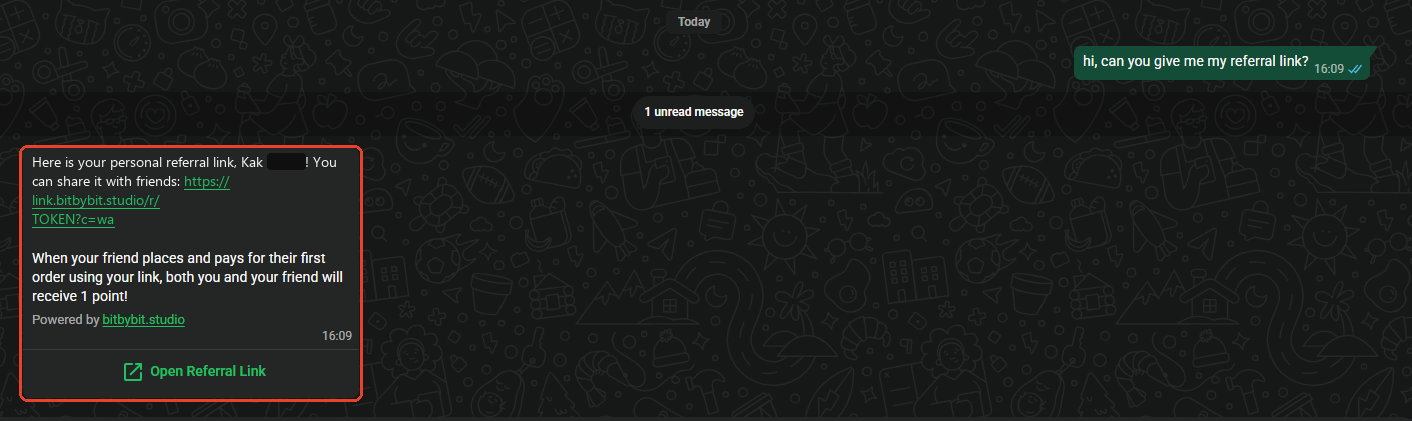
Use the Refer a friend card on your Shopify store
Use the Refer a friend card on your Shopify store
Signed-in customers see the card on your store’s Loyalty page.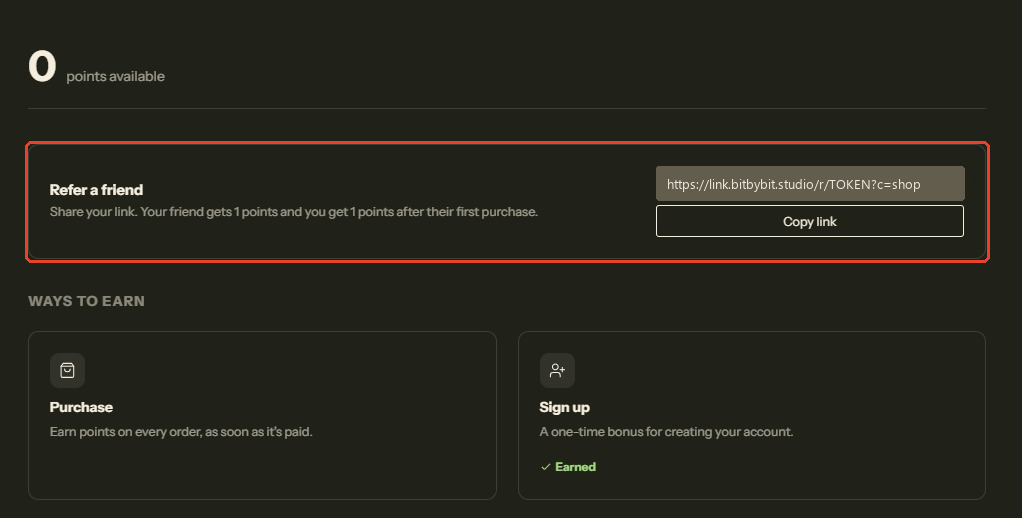
Copy it from the customer detail page
Copy it from the customer detail page
Use this to send a link yourself, for example during a live chat.
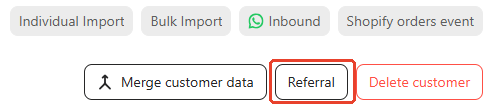
- Open Customers and click into the customer.
-
Click Referral, next to Merge customer data.
-
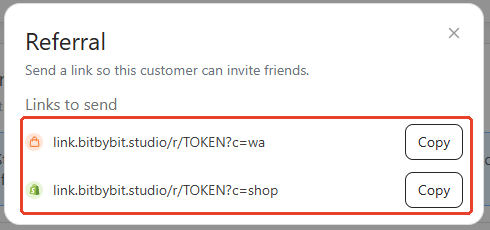
Under Links to send, click Copy next to the Commerce or Shopify link.
Send it in a campaign
Send it in a campaign
Send each customer their own link in a WhatsApp campaign. See Send referral links in a campaign.
A link is hidden while referral is off or Preparing, when its channel isn’t ready, or when the referrer has reached your quota.