

Before you start: find your Company ID
- Create your company account at bitbybit.studio.
- After logging in, go to Settings.
- Find your Company ID. See How to get your Company ID if you need help locating it.
Step 1: Sign up for KiriminAja
Visit the KiriminAja platform and sign up for a new account.
Step 2: Verify your KiriminAja account
Before requesting integration, you must verify your KiriminAja account. Go to the KiriminAja verification page and complete all required verification steps.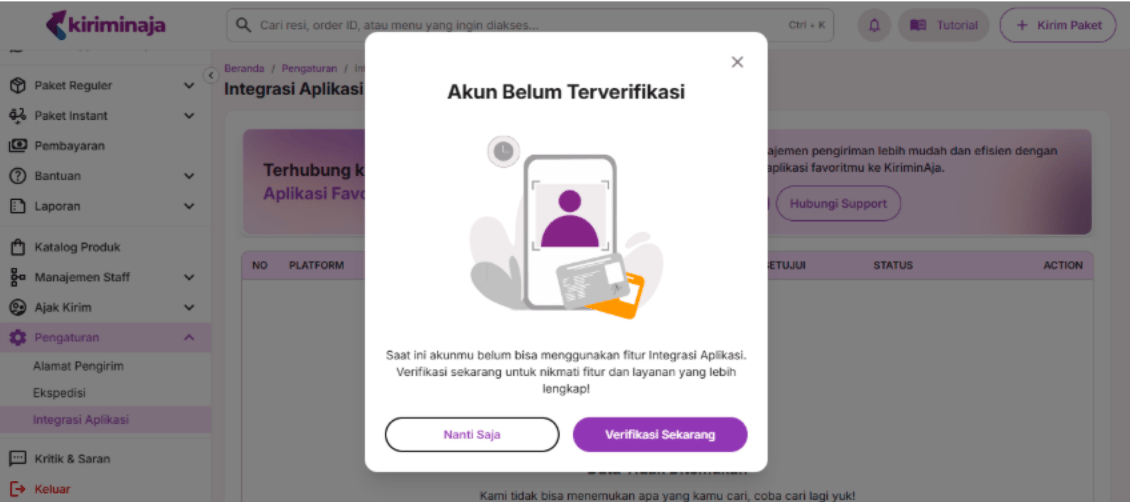
Step 3: Access the Integrations menu on KiriminAja
From the KiriminAja dashboard, go to Pengaturan → Integrasi Aplikasi.
Step 4: Submit an integration request for bitbybit
Choose bitbybit as the integration partner.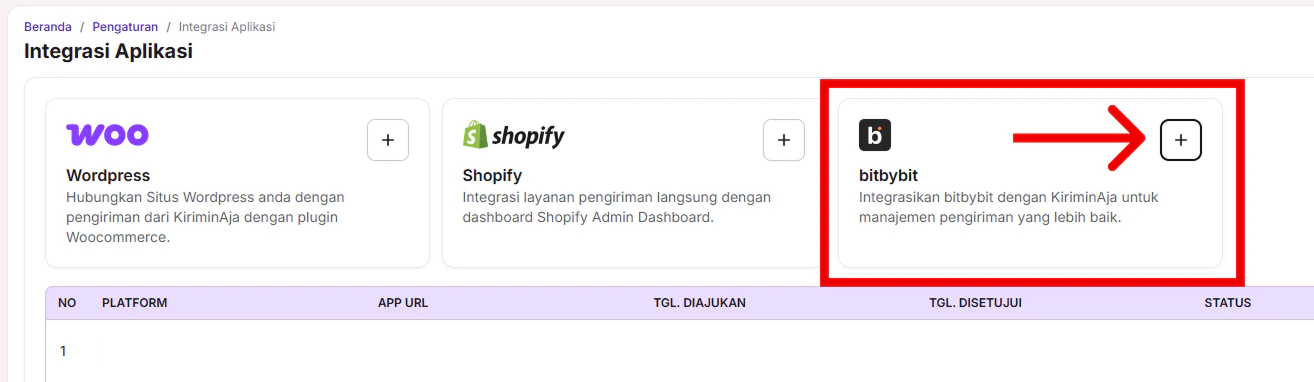

Step 5: Wait for KiriminAja approval
KiriminAja reviews your request. Approval typically completes in as fast as 2 hours.Step 6: Copy the setup key from KiriminAja
Once approved, open the Integrasi Aplikasi menu again and copy the Setup Key provided by KiriminAja.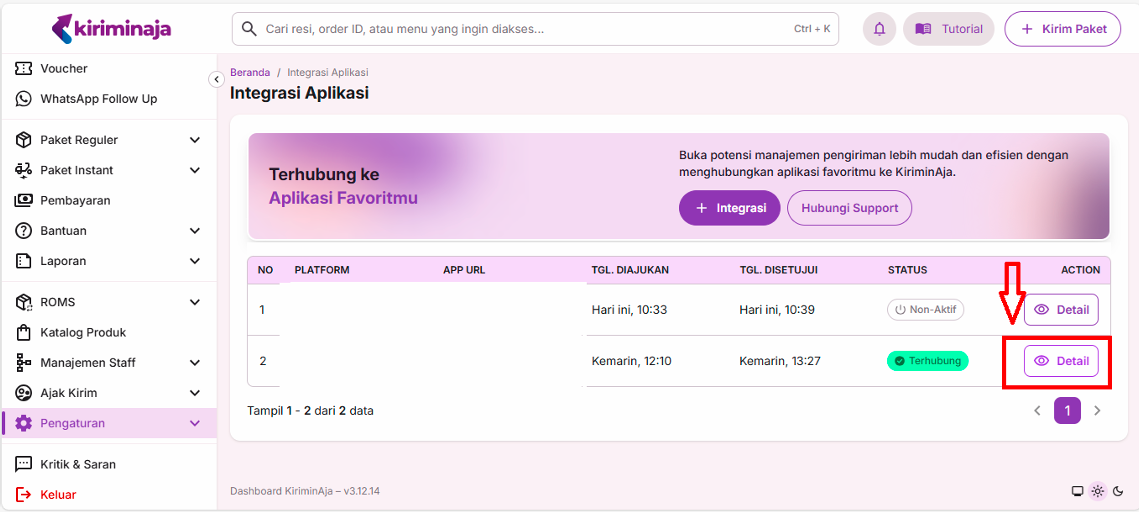
Step 7: Connect KiriminAja on bitbybit
Go to Integrations in bitbybit and click Connect to KiriminAja.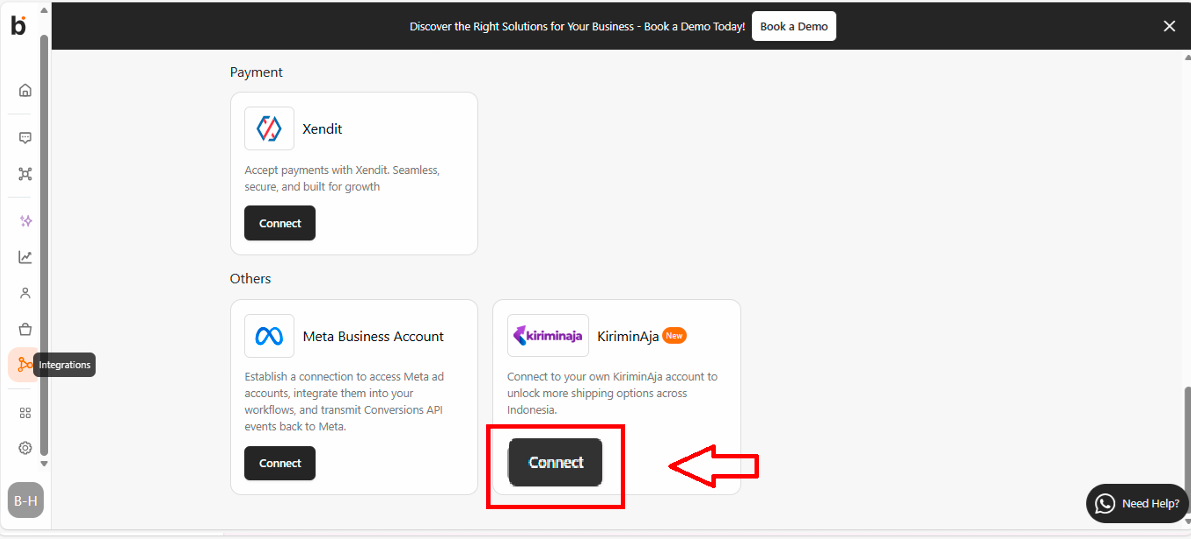
Step 8: Paste the setup key
Paste the Setup Key copied from KiriminAja into the integration request field on bitbybit..png?fit=max&auto=format&n=WlT_6AuzhITpdgTf&q=85&s=d5ed7ff824dd3fac307ba34732718c1a)
Step 9: Save and complete the connection
Click Save. Your KiriminAja account is now connected to bitbybit.You can now start using KiriminAja shipping services directly from the bitbybit platform.