Step 1: Open integrations menu & Locate BLITZ
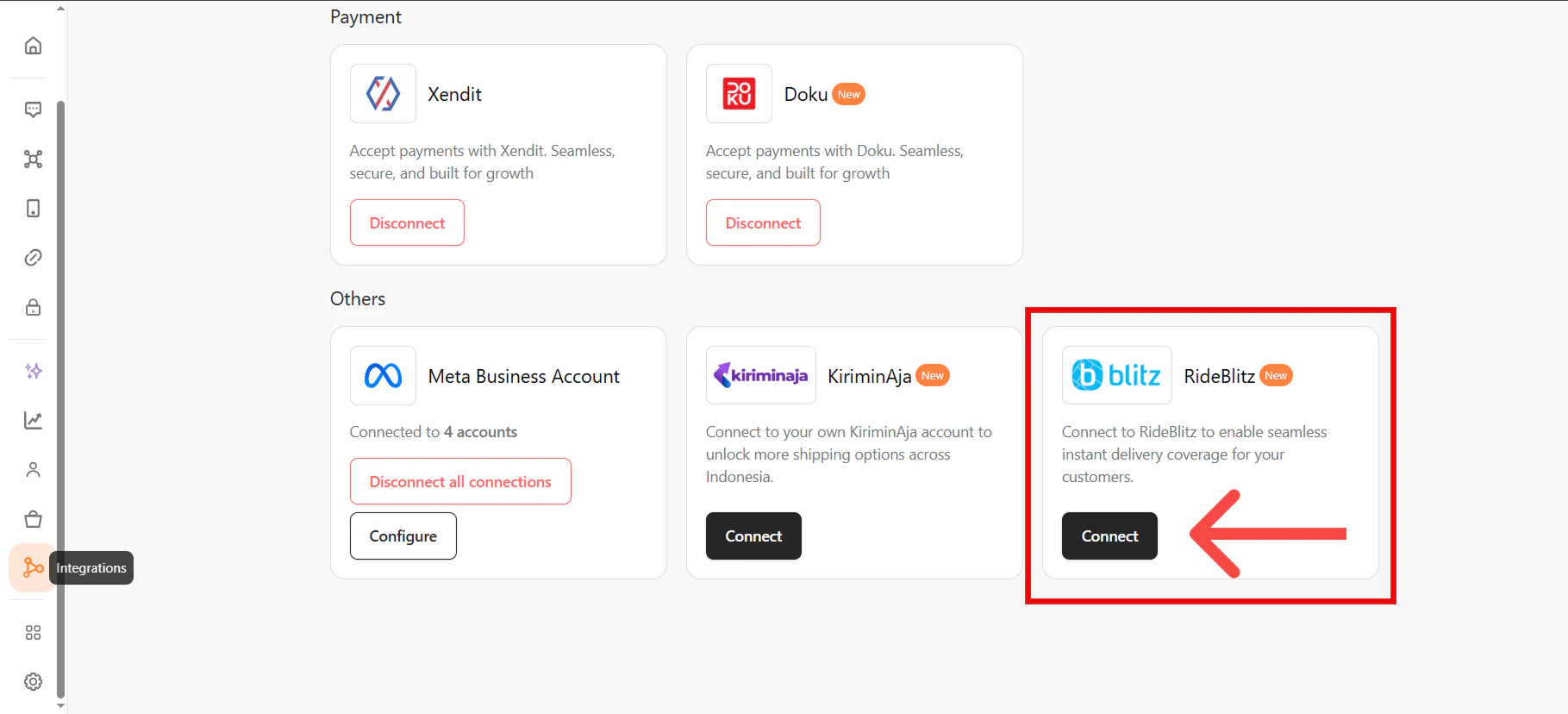
- Log in to bitbybit.
- Navigate to the Integrations page from the side menu.
- Locate the BLITZ integration card.
- Click Connect. A modal will appear explaining the enterprise setup requirements.
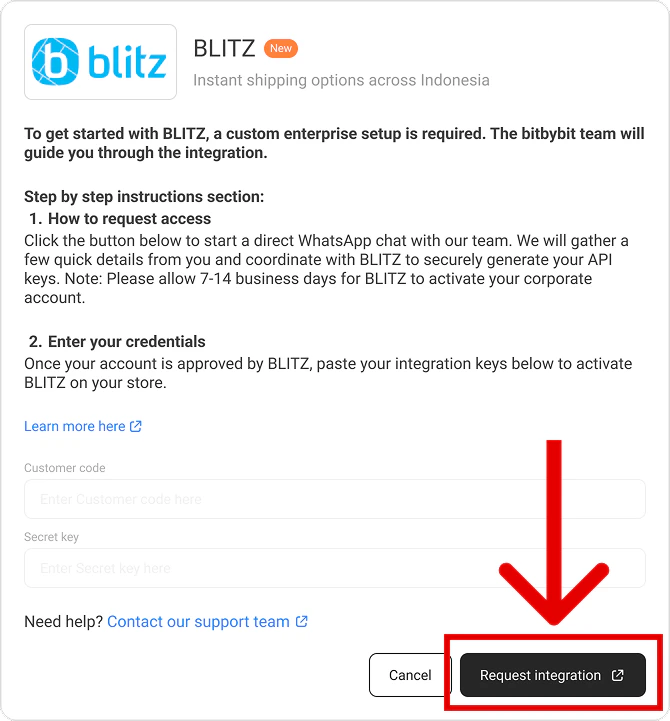
Step 2: Request Integration via WhatsApp
- Inside the modal, click the Request Integration button.
- You will be redirected to a new WhatsApp tab with a pre-filled message containing your Name and Company ID.
- Hit Send to deliver the message directly to the bitbybit onboarding team.
Step 3: Wait for Enterprise Setup
- Our team will coordinate directly with BLITZ to securely generate your enterprise API keys.
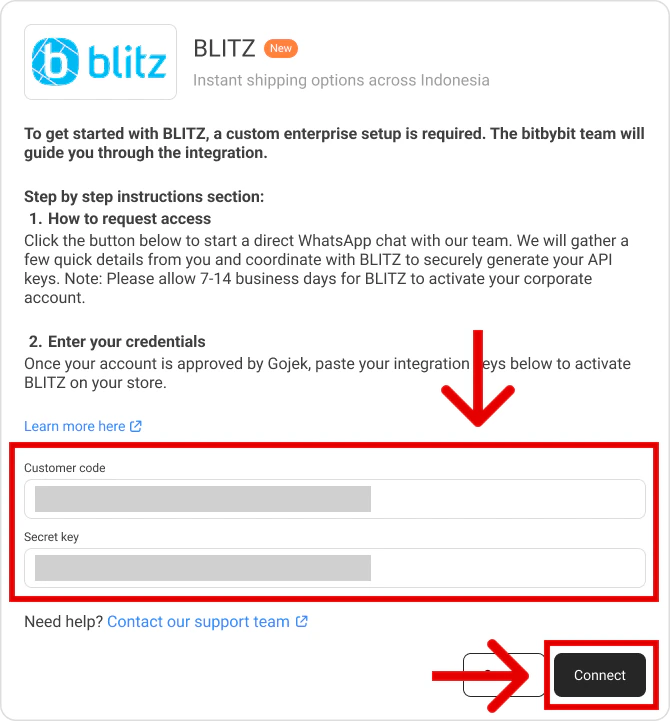
Step 4: Finalize the Connection
- Once your account is approved, the bitbybit team will notify you and unlock your configuration fields.
- Return to the Integrations page on bitbybit and click on BLITZ.
- The API fields will now be unlocked. The bitbybit team will either paste the credentials for you, or provide you with the keys to paste yourself.
- Click Connect to save the credentials.