

Before you start
Only Super admin and Admin users can change the setting. It applies to all connected Cloud API and Coexistence accounts in your company.Turn on Category protection
- Open Settings → bitCRM → Category protection.
- Turn on Pause automations on category change.
- Click Save changes, or Discard changes to cancel.
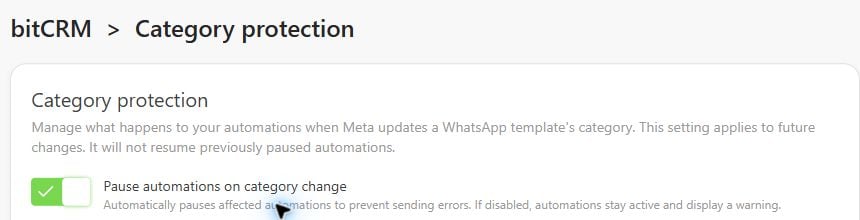
Review a paused automation
- Open bitCRM → Automation.
- Under Automations need your review, click Review.
- In Review category update, check the template, automation, and new category. Choose:
- Replace template: switch to another approved template.
- Keep current template: accept its new category and rate.
- Click Confirm and resume to proceed with your choice.
What happens when Meta changes a template’s category
- Protection on
- Protection off
- Template rejected
When a template changes to Marketing from another category:
- Active automations using it become Inactive.
- Draft and inactive automations cannot be enabled until reviewed.
- An email lists the affected automations.
FAQ
Why is my automation still paused?
Why is my automation still paused?
Turning protection off, saving the automation, or a later category change does not clear a block. Review each affected action, replace or keep the template, then turn the automation back on.
What if the category changed before I enabled protection?
What if the category changed before I enabled protection?
Review template category changes lists earlier changes and affected automations. Those automations were not paused by enabling the setting; open each one to review its template.
Who can change the setting or resolve a block?
Who can change the setting or resolve a block?
Only Super admin and Admin users can edit Category protection. If it is read-only, contact an admin.Agent users cannot resolve blocks. Super admin, Admin, Staff, and Staff Agent users can review them and receive the notification email.
Which parts of an automation are affected?
Which parts of an automation are affected?
A block applies to the same WhatsApp account, template, and language. It pauses the whole automation, including waiting steps and other branches. Messages already accepted by Meta cannot be recalled.