
Before you start
Open Orders, then select the order you want to update.1
Update the order status
Open the order action menu and click Cancel order if the order should no longer be processed. Enter the required cancellation details, then confirm.
2
Update the payment status
- Click the current payment status.
- Choose Paid, Unpaid, or Refund, as appropriate.
- Complete any confirmation or payment details shown.
3
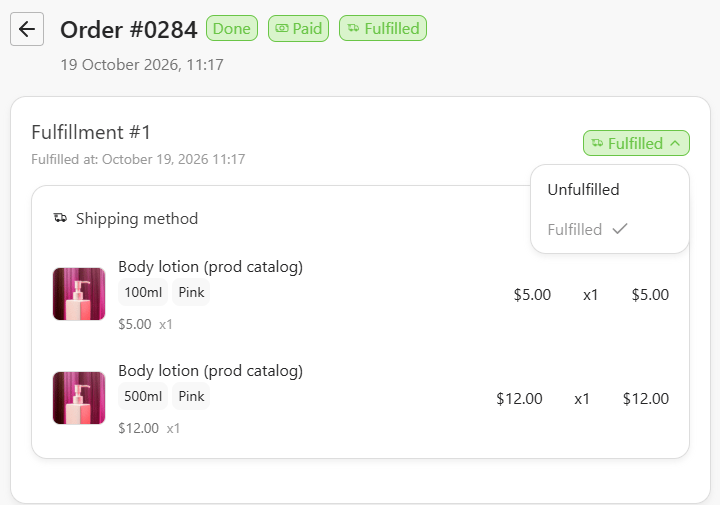
Update fulfillment
- Click the current status on the relevant Fulfillment card.
- Choose Fulfilled to fulfill its items, or Unfulfilled to reverse the fulfillment.
- Complete the confirmation and any tracking details shown.