

Before you start
- Open Orders.
- Make sure the products you need are available in Products.
1
Start a new order
Click Add new order from the Orders page.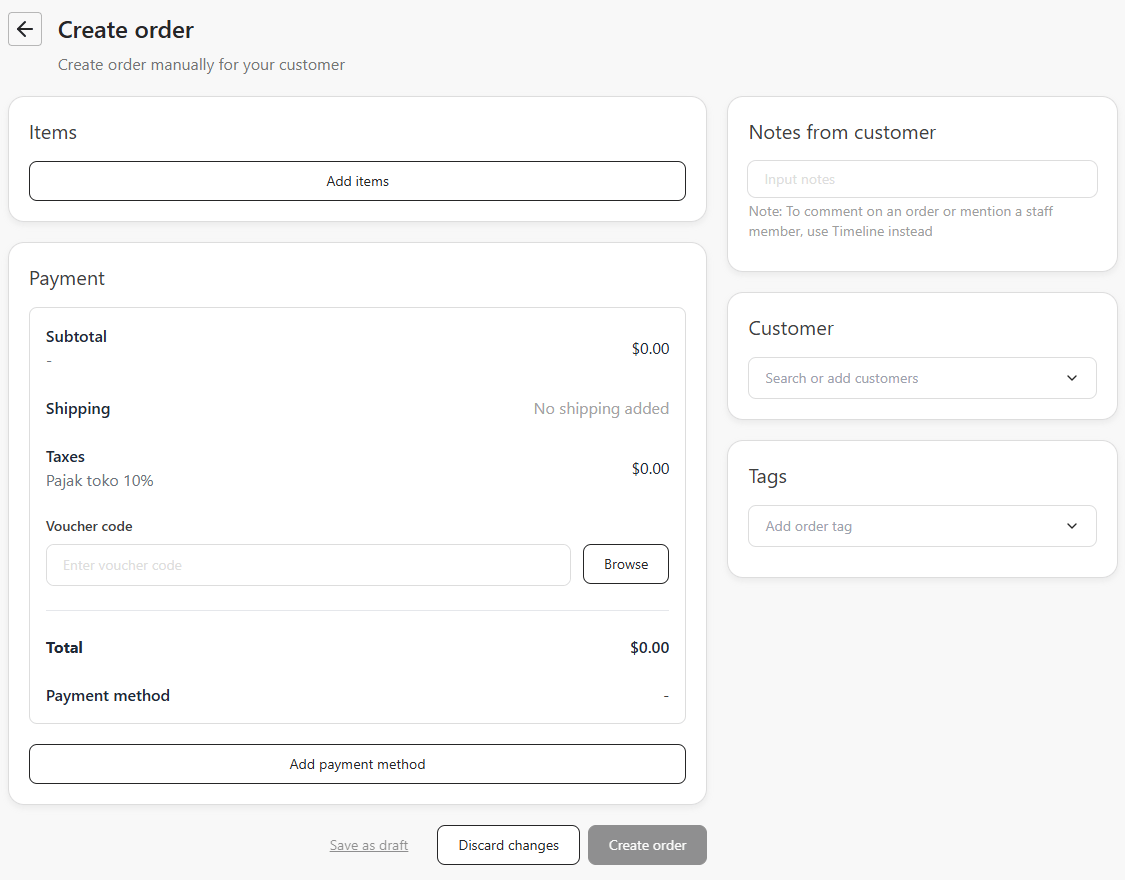
2
Add items and a customer
- Add the products and quantities for the order.
- Select the customer.
- Add an address if the customer does not have one.
3
Add shipping and payment
- Choose the shipping option.
- Select a payment method.
- Add customer notes or tags if needed.
4
Create or save the order
- Click Create order to create the order now.
- Click Save as draft to review it later.