

Overview
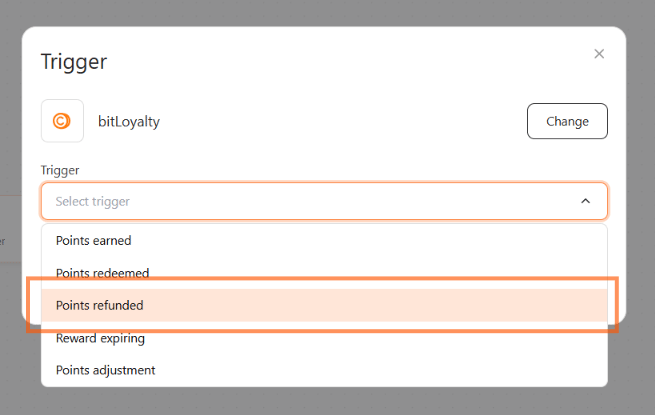
The current bitLoyalty trigger family includes these trigger options:- Points earned — fires when a member earns loyalty points from a qualifying action
- Points redeemed — fires when a member redeems points for a reward or discount
- Points refunded — fires when points are deducted because an order was refunded or cancelled
- Reward expiring — fires ahead of a reward voucher’s expiry date
- Points expiring — fires ahead of a member’s points expiry date
- Points adjustment — fires when a member’s points balance is manually adjusted
Before you start
- Open Automation.
- Click Create new scenario.
- Make sure bitLoyalty is active and connected to your store.
Steps
1
Choose the loyalty event
- Click Trigger.
- Choose bitLoyalty.
- Under Trigger, select the option that matches the loyalty event you want to react to.
2
Save and build the scenario
- Save the trigger.
- Add the next step in the scenario.
-
Click Save automation.
When to use each option
- Use Points earned to send a congratulation message or encourage the member to spend their points.
- Use Points redeemed to confirm the redemption and suggest follow-up actions.
- Use Points refunded to explain a deduction after a refunded or cancelled order, for example with a WhatsApp message confirming the new balance.
- Use Reward expiring to remind a member to use a voucher before it expires. Choose how far ahead it fires — 1 day, 3 days, or 7 days before expiry. The default is 3 days.
- Use Points expiring to remind a member to use their points before they expire. Choose how far ahead it fires — 1 day, 3 days, 7 days, 14 days, or 30 days before expiry, limited to lead times shorter than the points expiry period. See Points expiring below.
- Use Points adjustment to notify the member when their points balance has been manually updated by an admin. Narrow it to Any, Points added, or Points deducted.
Filter a Points refunded automation
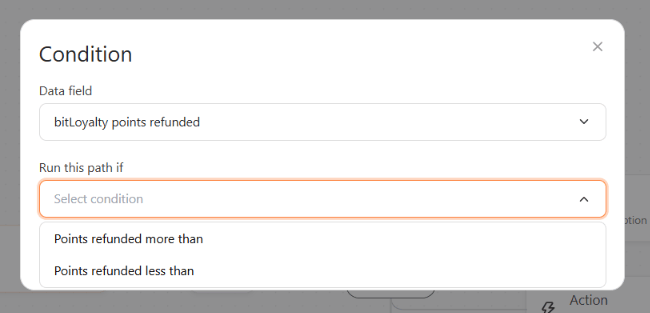
Points refunded is the one bitLoyalty trigger with conditions, so you can react only to deductions large enough to be worth messaging about.- Add a Condition after the trigger.
- Leave Data field set to bitLoyalty points refunded.
- Under Run this path if, choose Points refunded more than or Points refunded less than.
- Enter the number of points to compare against.
This trigger reacts to a reversal that has already happened — it does not control whether points are reversed. That is the Deduct points for refunds or cancellations setting on the Earn points page.
Points expiring
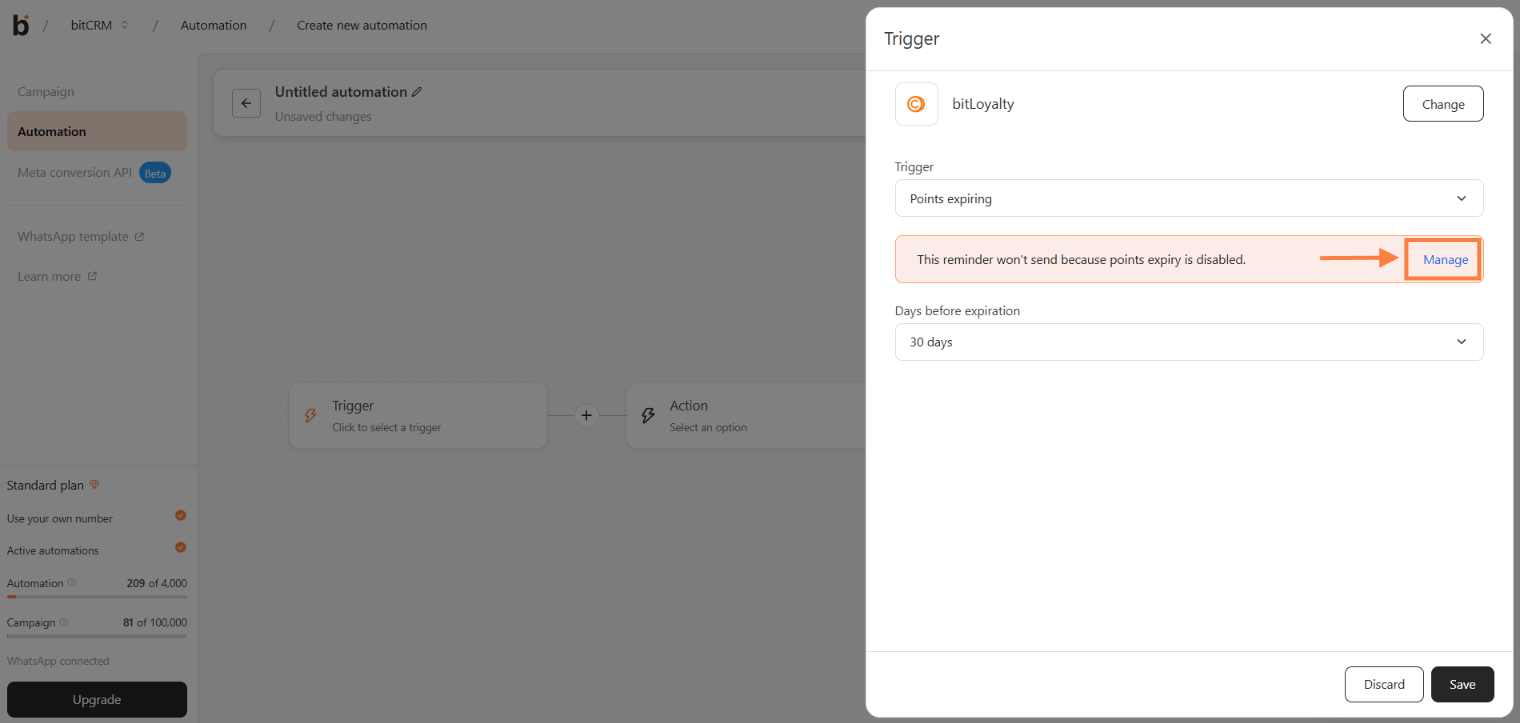
Use the Points expiring trigger to remind customers before their bitLoyalty points expire. Choose a lead time shorter than your points expiry period, then configure the WhatsApp reminder message. Before you start, turn on Points expiry in Loyalty > Earn points and set Points expire after. Make sure the customer has a WhatsApp number, has opted in to WhatsApp, and has a points balance greater than 0.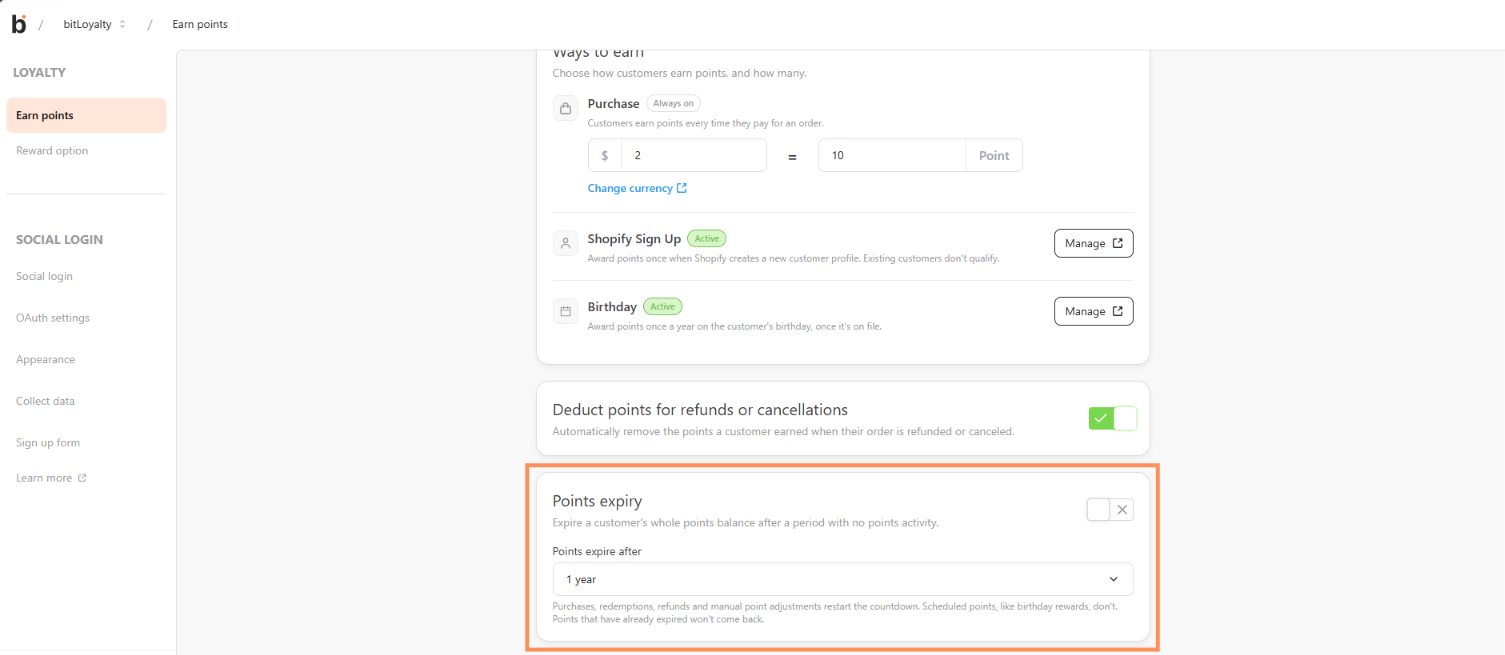
1
Choose the Points expiring trigger
Choose bitLoyalty, then under Trigger, select Points expiring.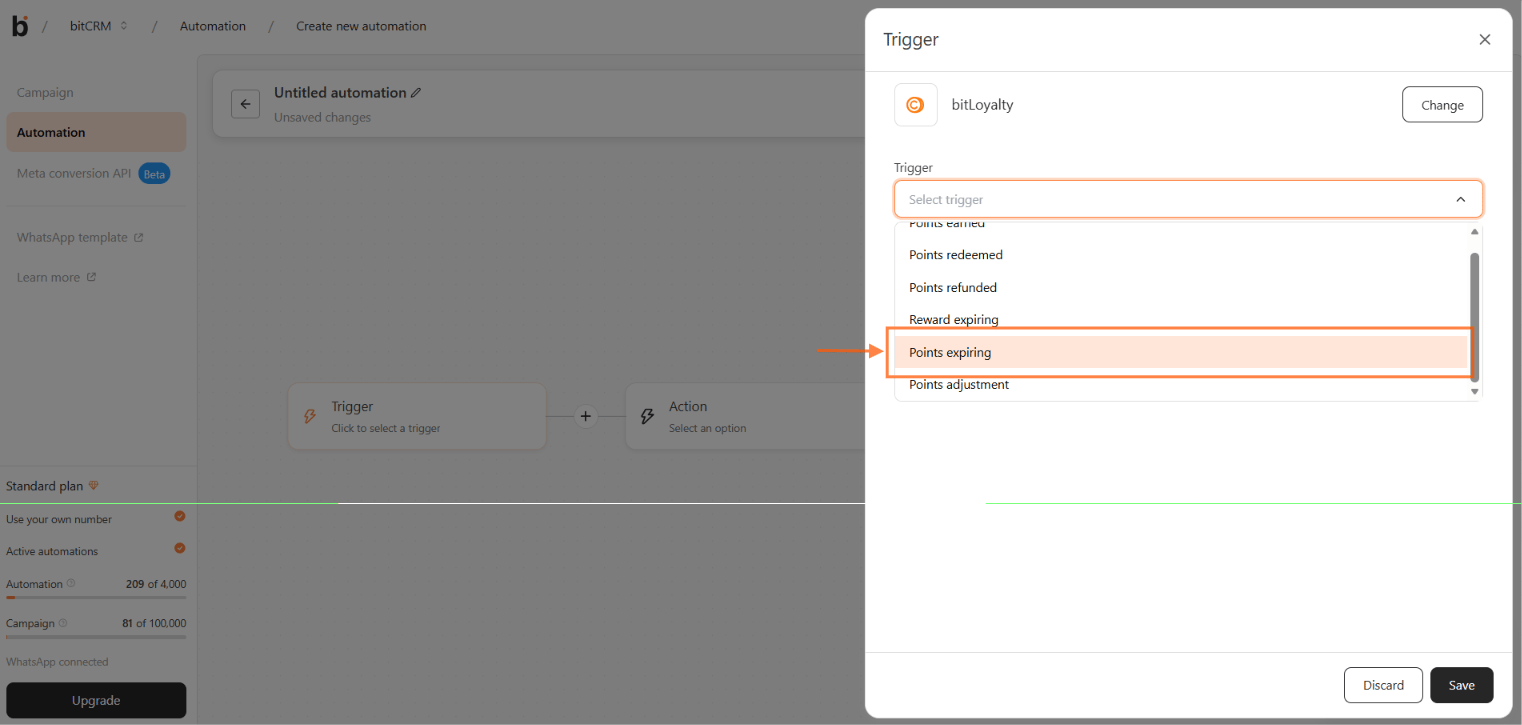
2
Set the days before expiration
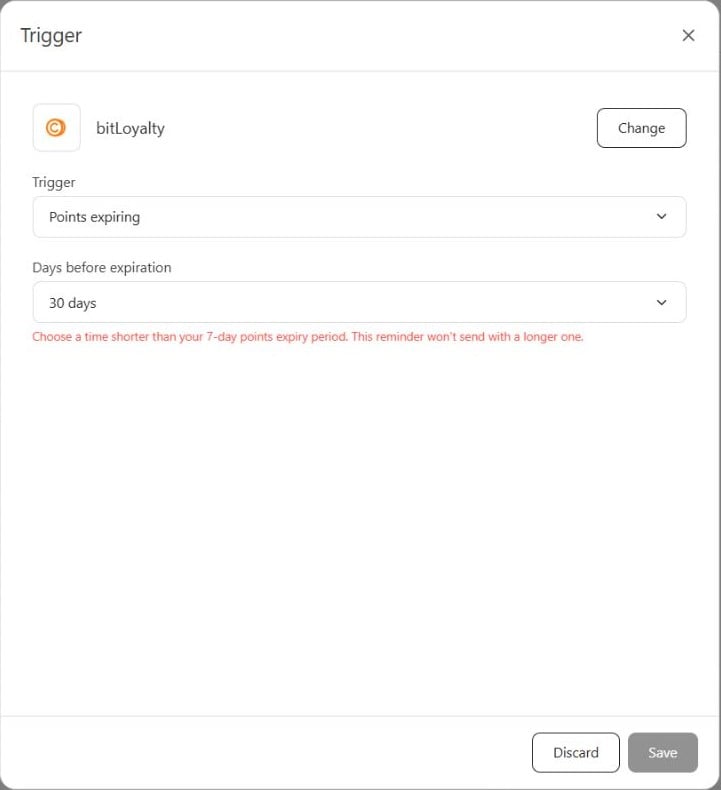
- Under Days before expiration, choose how far ahead the reminder sends.
- The supported lead times are 1 day, 3 days, 7 days, 14 days, and 30 days. Only options shorter than your points expiry period are available.
- Review the selected value, then click Save.
3
Add the WhatsApp message
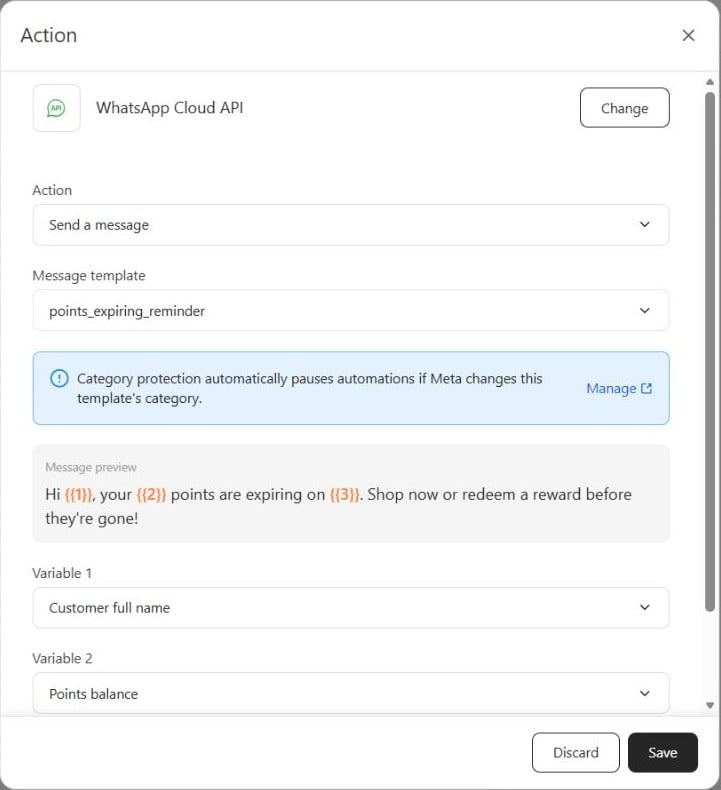
- Add or open the message action.
- Choose WhatsApp Cloud API and Send a message.
- Under Message template, select points_expiring_reminder. If you started from the Points expiring soon card, it is already selected.
- Check the variable mappings below, then click Save.
My lead time option is missing
My lead time option is missing
Only lead times shorter than your points expiry period are available. Choose a shorter lead time, or lengthen the expiry period in Loyalty > Earn points.An automation that still has a lead time equal to or longer than the expiry period does not send. Edit its trigger and choose a shorter lead time.
I cannot find points_expiring_reminder
I cannot find points_expiring_reminder
Look for points_expiring_reminder in the action’s Message template list. Points expiring soon is the Library card name.The template is added on your company’s next template sync. Check again after the sync and confirm the template is approved before using it.
Some customers did not receive the reminder
Some customers did not receive the reminder
Check that the customer has a WhatsApp number, has opted in, and has a points balance greater than 0. Also check that points expiry is enabled and the lead time is shorter than the expiry period.A purchase or redemption moves the customer’s expiry date later. If that happens after the reminder was due, review the new expiry date rather than expecting a reminder for the old date.