

Overview
The Custom webhook trigger fires when a configured external endpoint sends a POST request to a bitbybit webhook URL with the expected payload. This lets you connect any external system or custom event source to a bitCRM automation.Before you start
- Open Automation.
- Click Create new scenario.
- Have the external system ready to send POST requests.
Steps
1
Create the webhook trigger
- Click Trigger.
- Choose Custom webhook.
- Copy the generated webhook URL.
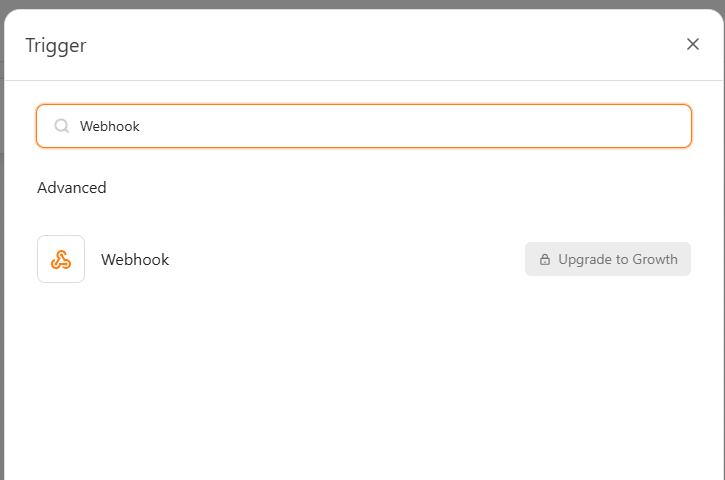
If Webhook shows Upgrade to Growth, the trigger is not available on your current plan.
2
Connect the external system
- Configure your external system to POST the payload to the generated URL.
3
Save and build the scenario
- Save the trigger.
- Add the next step in the scenario.
- Click Save automation.