

Documentation Index

Fetch the complete documentation index at: https://knowledge.bitbybit.studio/llms.txt

Use this file to discover all available pages before exploring further.

Customizing your product display is crucial for optimizing user experience and boosting conversions. With bitApp, you can easily manage how your products are presented in your mobile app, making it simple to highlight collections and guide customers toward specific items. Follow these steps to set up and display your product collections in bitApp:

Step 1: Access your bitApp dashboard.

Step 2: Drag and drop “Collections” into your mobile mockup.
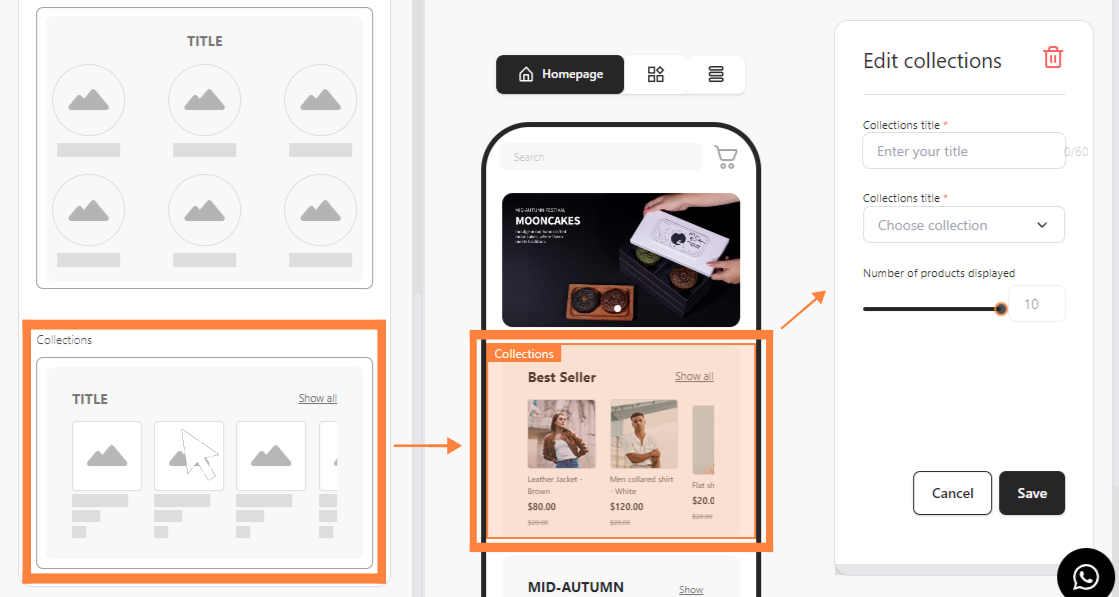
Drag and drop “Collections” into your mobile mockup‍

Step 3: Fill in collections detail and set the number of products displayed.
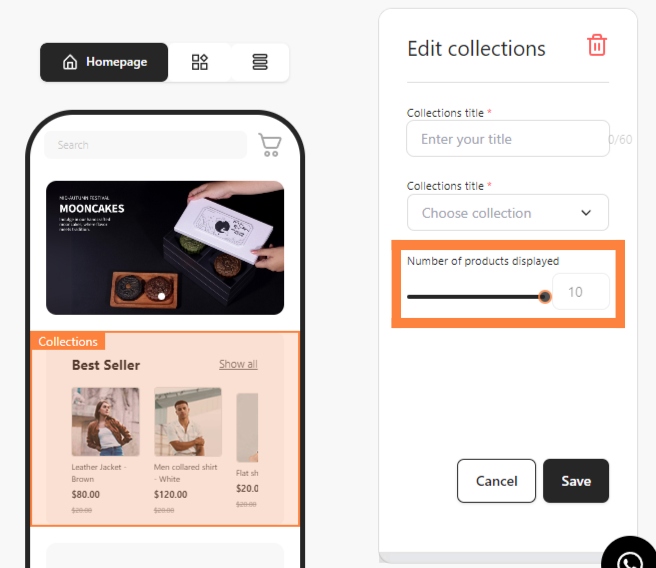
Fill in collections detail and set the number of products displayed‍

Step 4: Click “Save”.