Super Admin
Super Admin
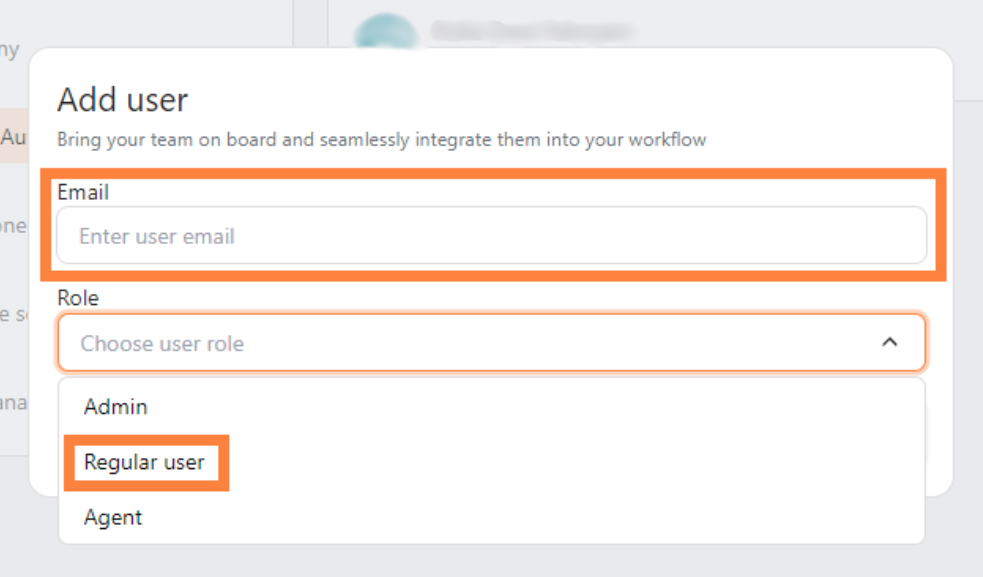
Super Admin has full access, including company deletion. Use this role for the people responsible for the entire workspace.
Admin
Admin
Admin can manage users, pricing, settings, and Tickets, but cannot delete the company.
Agent
Agent
Agent focuses on Livechat and Ticket handling. This human support role is different from an AI agent in AI Studio.
Regular User
Regular User
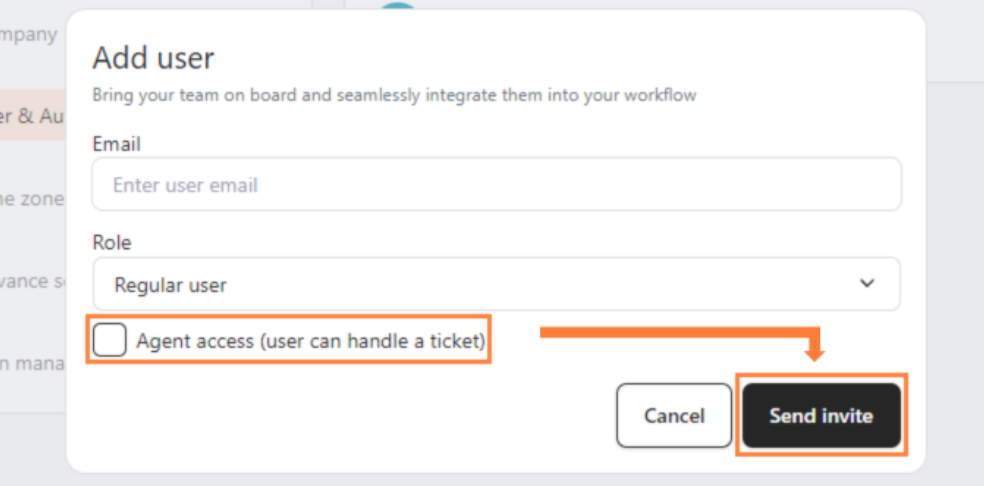
Regular User can use core apps, analytics, customers, and account settings, but cannot handle Tickets unless Agent Access is enabled.
Permission comparison
Grant Agent Access
1
Open User & Authority
Go to Settings > User & Authority.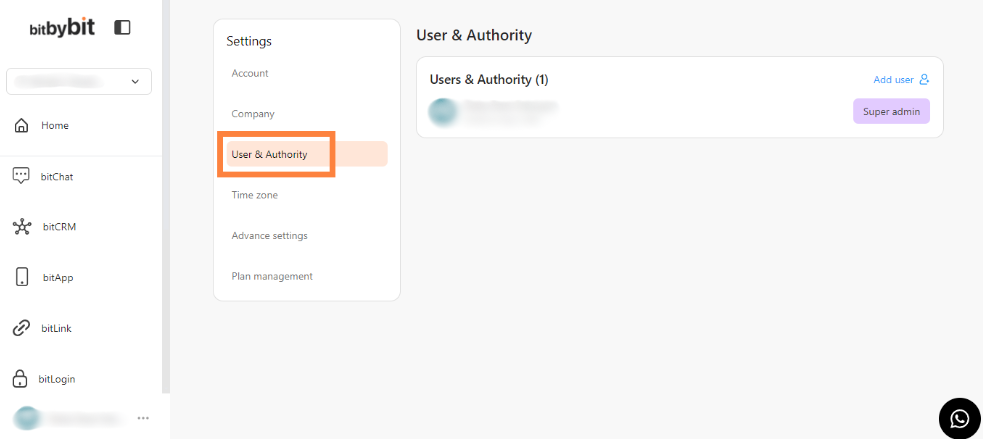
2
Add or select the user
Click Add User to invite someone, or select an existing user to update.
3
Set the access
- Enter the User Email and choose the base role.
- Turn on Agent Access.
-
Click Send Invite.