

What happens when a visitor starts a chat
-
When a visitor opens the chat widget and sends their first message, bitChat automatically creates a temporary customer profile.

- If no name is provided yet, the system assigns a default name using the following format: Customer + random number
- This profile allows the conversation to be tracked in bitChat Live Chat.
Ways to collect visitor details
You can use one, two, or all three options. Each one fills in the same customer profile.Pre-chat form
- If the Pre-chat form is on, anonymous visitors fill in basic details before the chat opens: Name, Email, and/or Phone, depending on the fields you turned on.
- These details are saved to the customer profile right away, so agents see the visitor’s real name in bitChat Live Chat.
- Customers who are logged in to your store skip the form.
- If the form is off, visitors can start chatting immediately without entering any details.
- To turn it on, see How to set up a pre-chat form in Chat Widget.
AI Collect Data skill
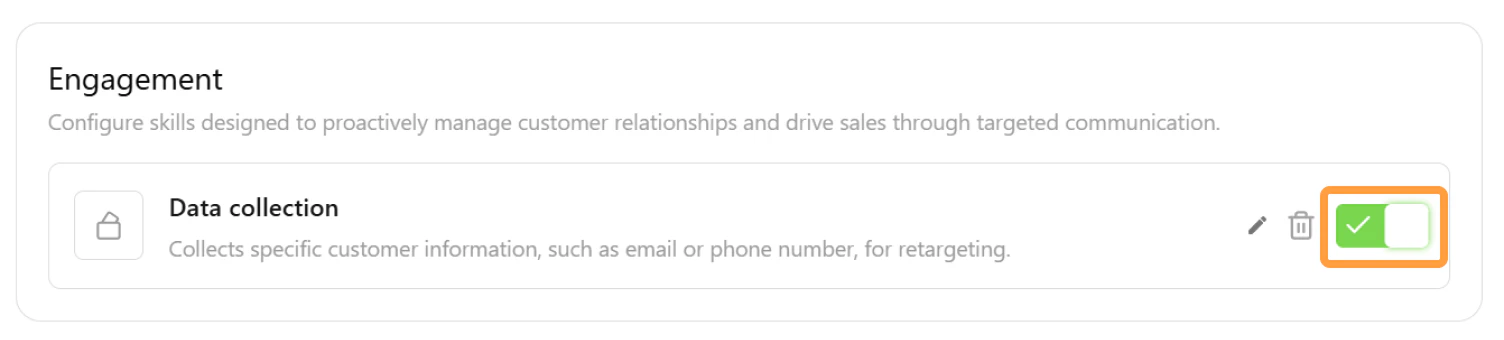
- Customer information can be collected automatically by the AI agent if the Collect Data skill is enabled in AI Studio.
-
Use this to collect more details during the conversation, including any the pre-chat form didn’t ask for.
-
When this skill is active, the AI may ask visitors for details such as: Name, Email address, and Phone number.
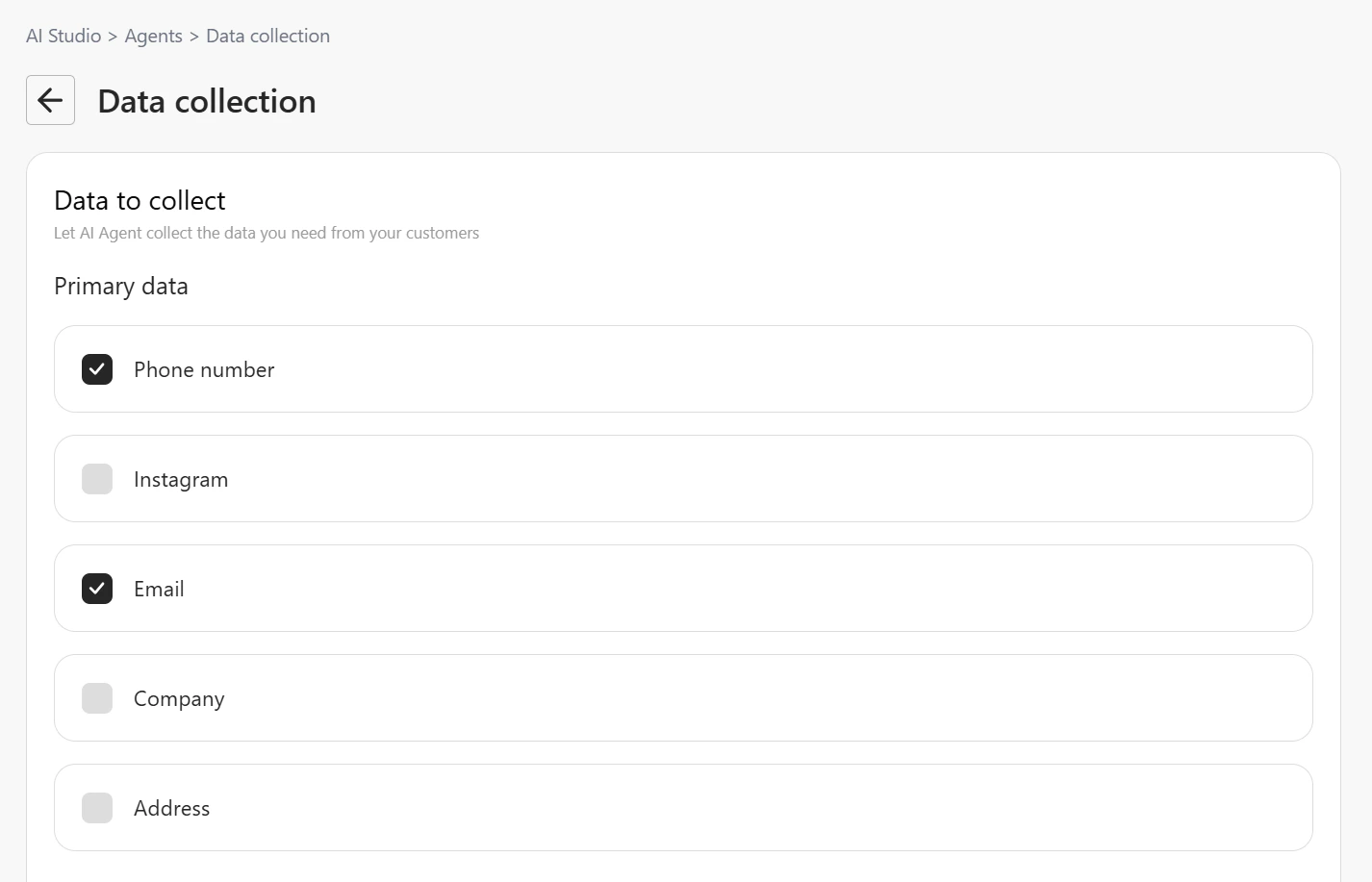
- Once the visitor provides the information, the AI Agent will update the customer profile automatically.
Human handover
-
If the visitor requests to talk to a human agent and their information has not yet been collected, the system will prompt the visitor to provide their details before the conversation is transferred.
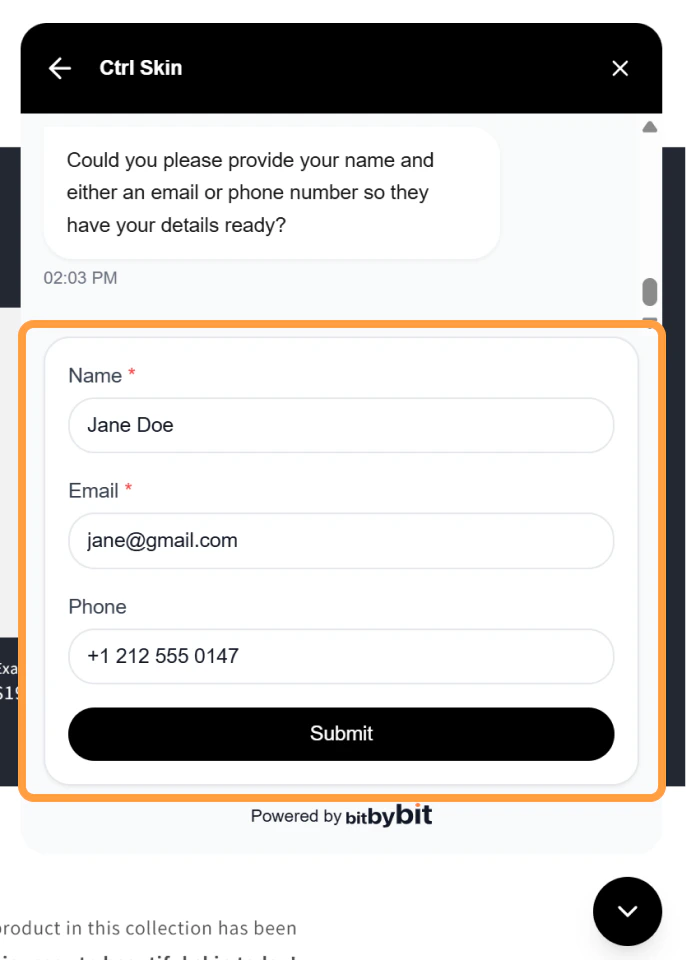
- The visitor will be asked to enter: Name, Email address, and Phone number
- After submitting the information, the conversation will be handed over to a human agent.
What happens after details are collected
Once the visitor provides their information, the temporary profile is updated. For example:- Before information is collected: Customer 1234
- After information is collected: John Doe