Prerequisites
- You can access Settings in bitbybit.
- You can open the bitChat settings group.
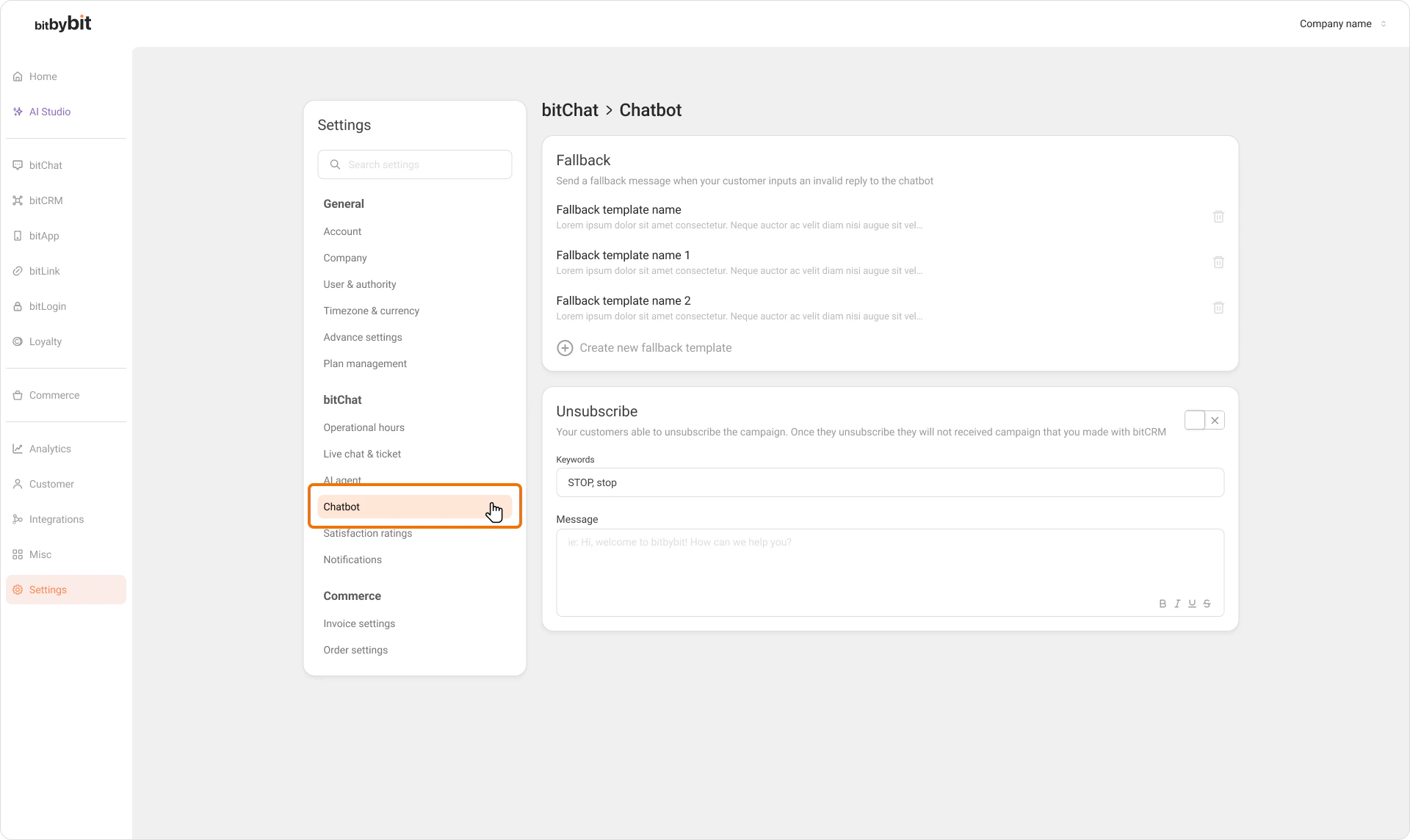
Step 1: Open the Agent settings
- Go to Settings.
- In the bitChat section, click Agent.
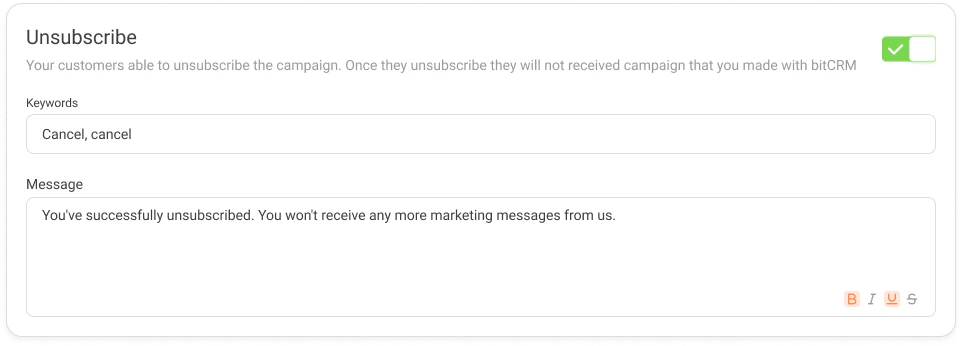
Step 2: Enable the Unsubscribe toggle
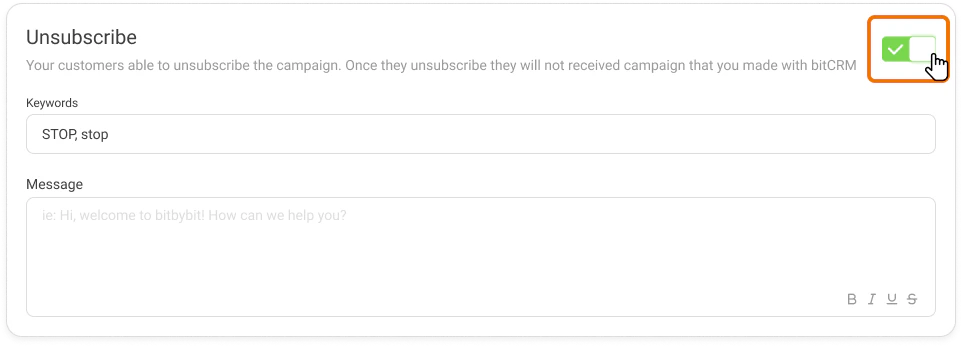
- Scroll down to the Unsubscribe section.
- Click the toggle to turn it on (green).
Step 3: Enter your unsubscribe keywords
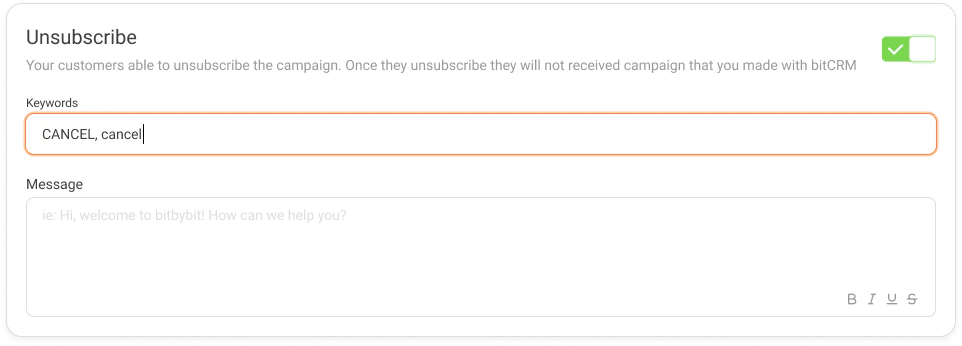
- In the Keywords field, type the word or phrase your customers should send to opt out.
- You can use any language — for example,
BERHENTI,STOP, orTIDAK.
Note: Once you have saved a keyword, the field cannot be left empty. Always keep at least one keyword set.
Step 4: Set the opt-out reply message
- Select the Message type for the confirmation your customers will receive after opting out.
- Enter your reply message in the text field, or upload media if you selected a media message type.
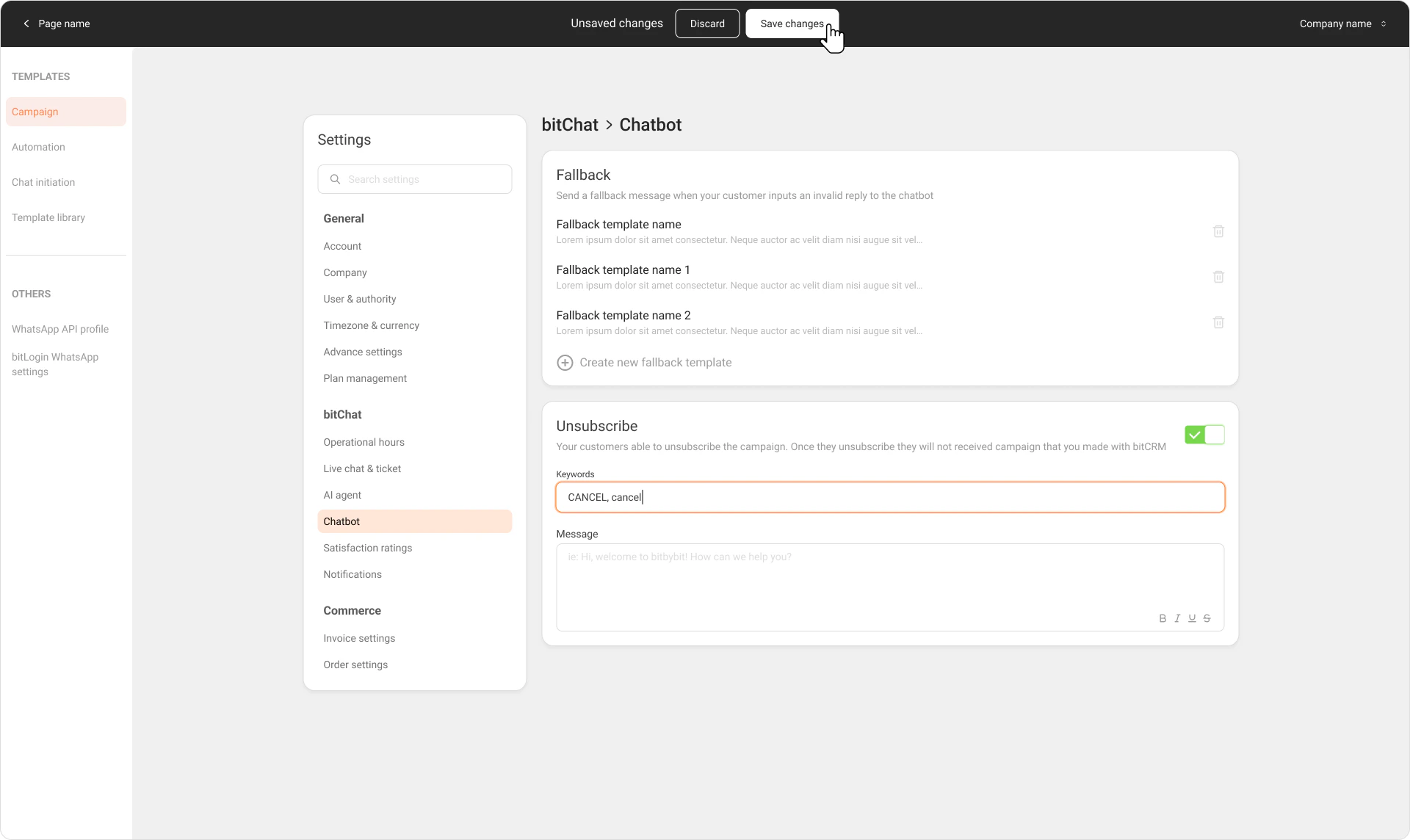
Step 5: Save your changes
- Click Save changes.
- A confirmation toast will appear to let you know the settings have been updated successfully.